11
4.3 Intelligent card (optional)
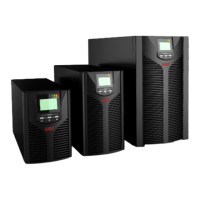
There is an intelligent slot on the rear panel of the UPS, it’s for SNMP card and dry
contacts. Users can insert any type intelligent card from those three into it to monitor
and manage the UPS. And users don’t have to turn off the UPS when install the
intelligent card. Follow below process:
First of all, remove the intelligent slot cover;
Then insert the intelligent card (SNMP card and dry contacts);
Finally, screw the intelligent card back.
> SNMP card (optional)
SNMP card on UPS is compatible with the most software, hardware and network
operating system, it is a network management of UPS, with this function, UPS can
login on internet , which can supply information of UPS status and input power, and
even possible to control UPS via net management system.
SNMP interface is set as below:
Bit rate: 2400bps
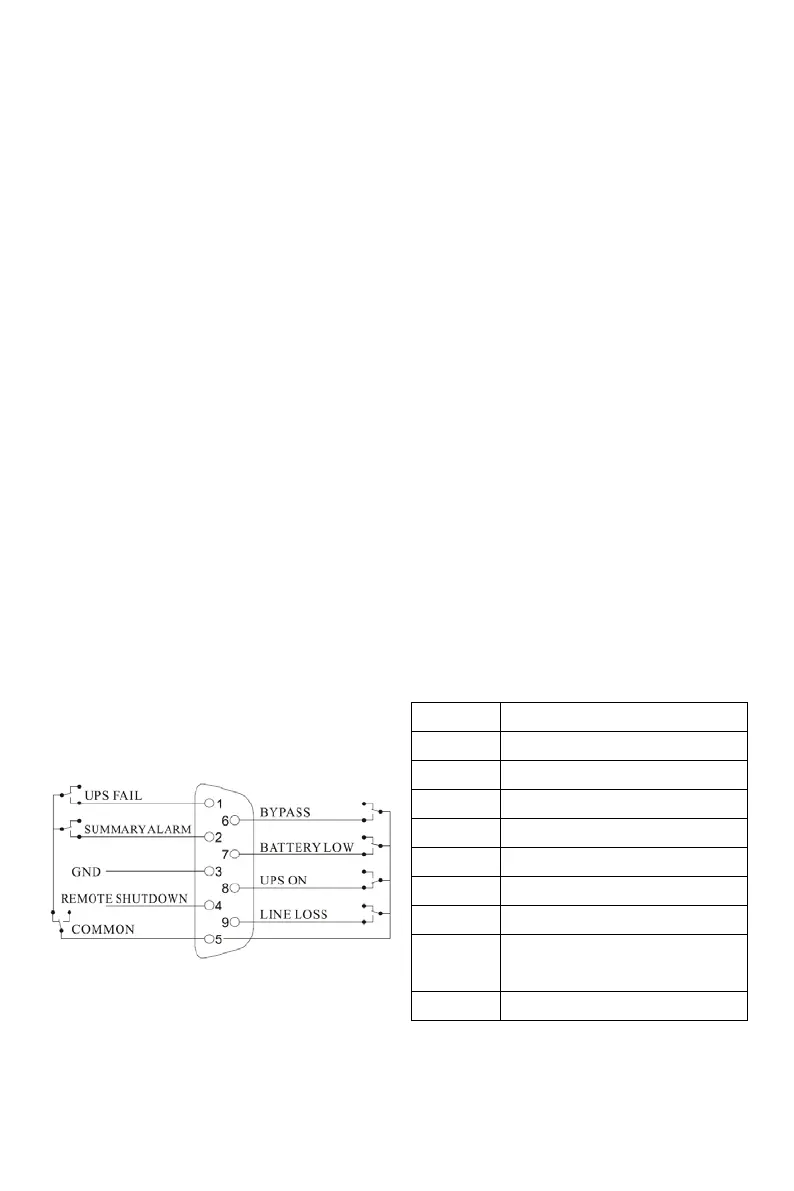
> Dry contacts card (optional)
Insert the dry contacts card into the intelligent slot. It’s another type function of
intelligent monitoring.
Position Definition
:
PIN2 ON:Alarm(system failure)
PIN4 Remote shutdown
PIN6 ON:Bypass mode
:
PIN8
ON:Inverter mode;
OFF:Bypass mode
:



 To Next Page