EasyIO 30P – Frequently Asked Questions
10
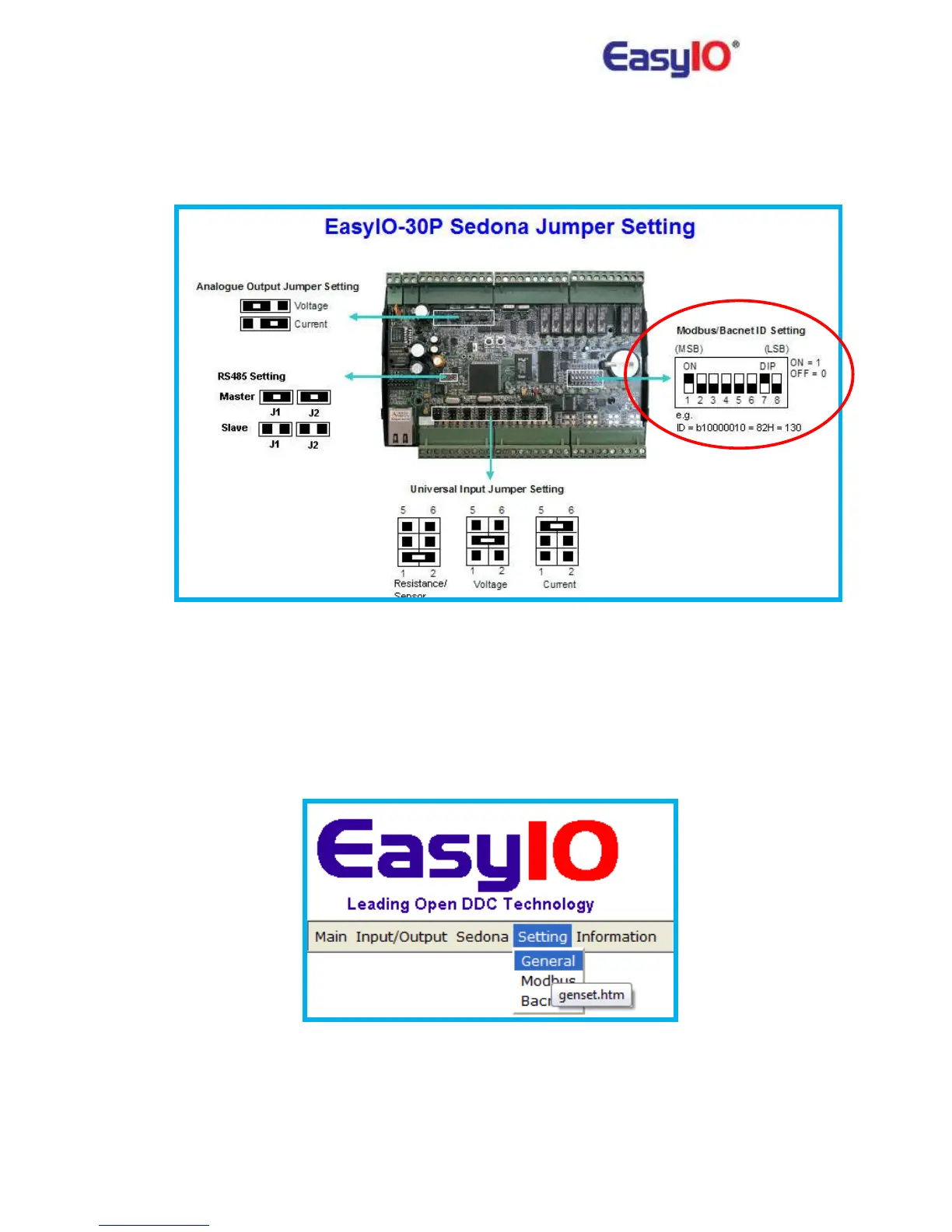
7) How to set the serial address?
Please refer to our online Information Help. Go to Information>Jumper Setting.
Serial addressing is using the binary code. Please note that the LSB is on the right and MSB is on
the left.
8) How to confirm the serial address that was set?
User can confirm or double check on the serial addressing via web browser. Go to
Setting>General tab.



 To Next Page