EasyIO 30P – Frequently Asked Questions
20
Sedona version (IO-30S-BM)
1) What is the minimum requirement in order to connect a Sedona Controller?
a. Niagara AX workbench , version 3.4.55 and above
b. Sedona Installation kit from Tridium and EasyIO
c. EasyIO-30S-BM , with Sedona Firmware version 0.4.23 and above
2) How to program EasyIO-30P-SF? It is same with EasyIO BACnet or EasyIO Modbus?
Sedona Framework is a new protocol and it has to be programmed via Niagara Workbench
equipment with Sedona Workbench.
3) EasyIO-30P-SF supports what protocols?
EasyIO-30S-BM support BACnet IP, BACnet Ethernet, BACnet MS/TP, Modbus TCP, Modbus RTU
and also Modbus Master and Salve.
4) What is the default login credentials for Sedona Web Browser?
Username : admin
Password : 1234
Web Port : 80
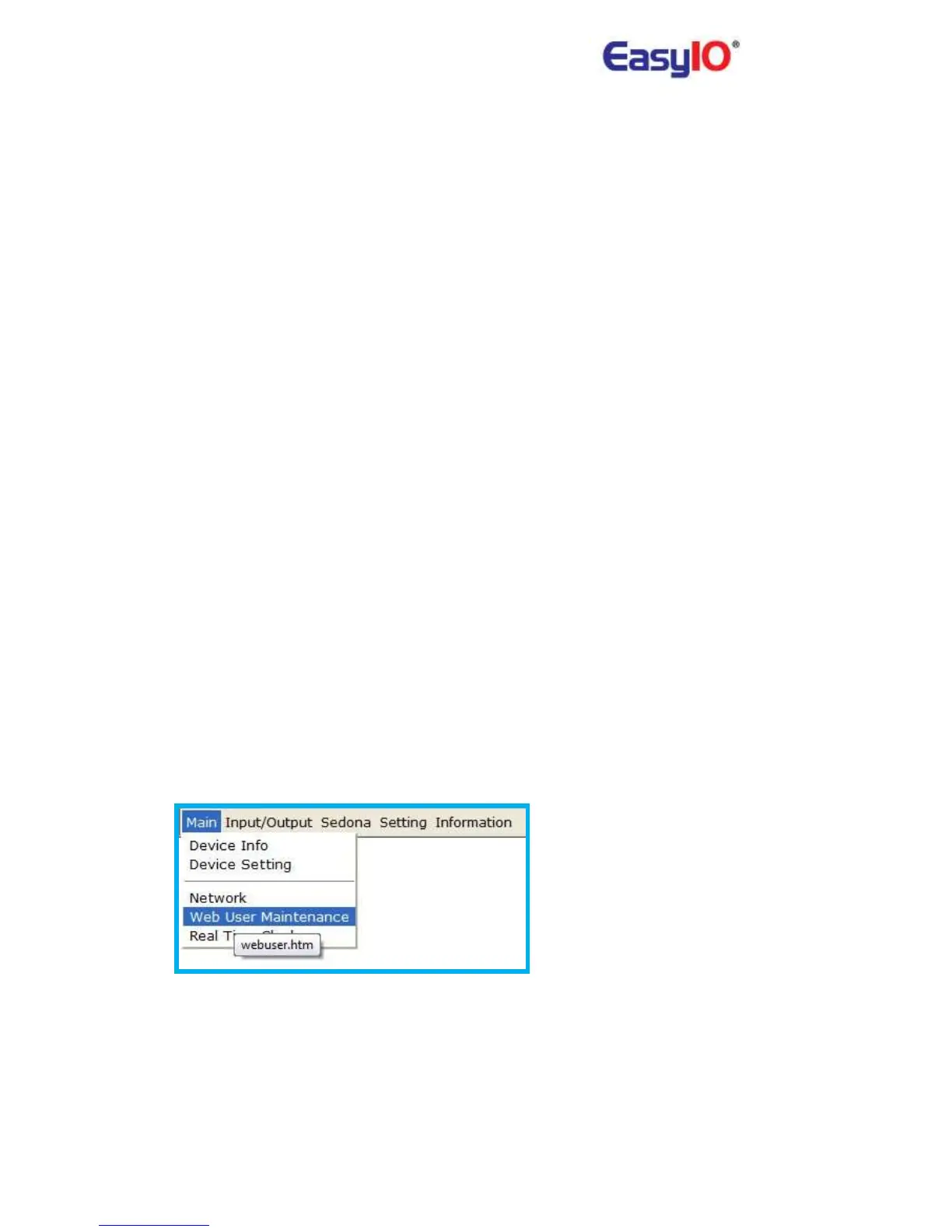
5) How to change/add/edit Sedona Web Browser login credential?
User can change/add/edit login credentials via web browser. Go to Main>Web User
Maintenance.
This is only for web browser credentials. It is not the same with Sedona Workbench login
credentials.
6) What is the default login credentials for Sedona Web Browser?
Username : admin



 To Next Page