Step 8: Changing the video/photo settings
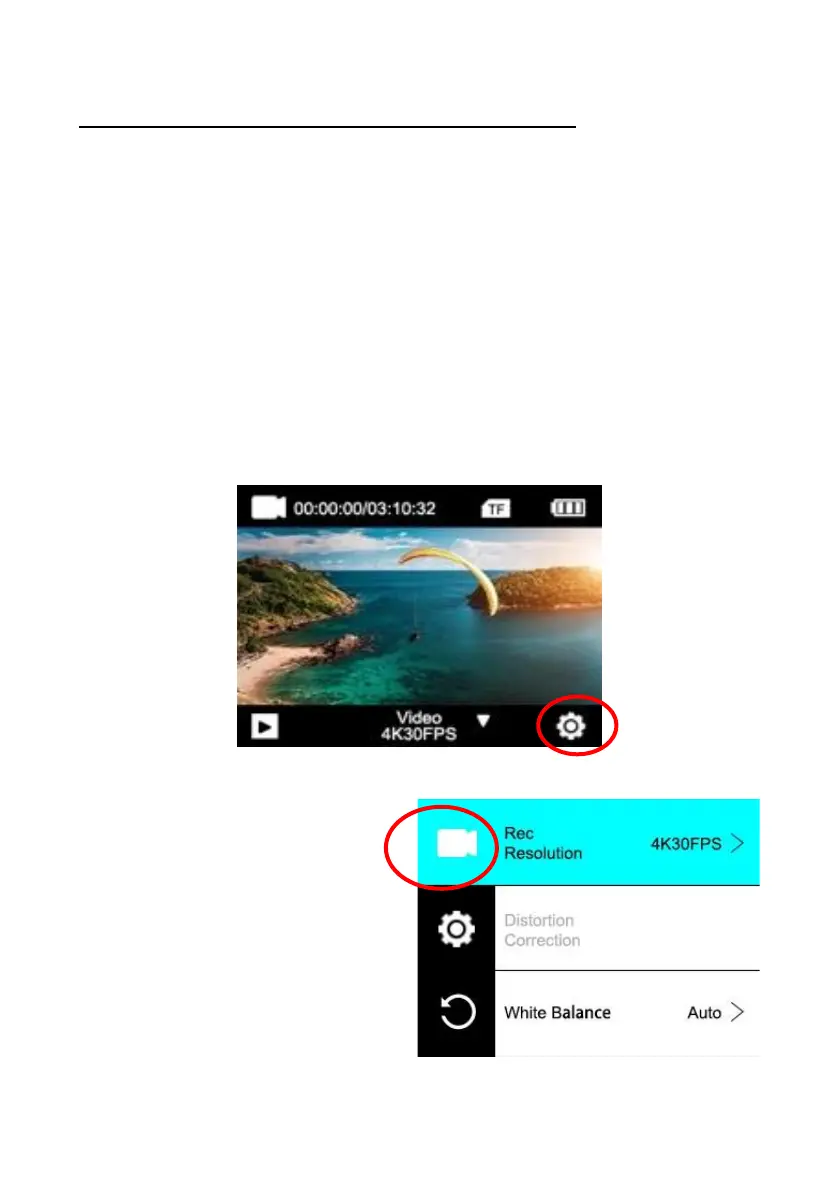
Video settings are available when in video mode.
Photo settings are available when in Photo mode.
1. When the camera is switched on, it is in video mode by
default.
Press the Mode button or swipe the screen to switch to Photo
mode.
2. To change the settings of your photo or video recordings,
tap the "Settings" icon in each mode.
3. Then scroll to the function or settings you want to change.


 To Next Page