Eaton 9170+ Flash Instructions
9170+ Flash Procedure
Eaton 9170+ Flash Procedure
IL153001EN
Page 6 of 12
3. Flash Procedure
1.
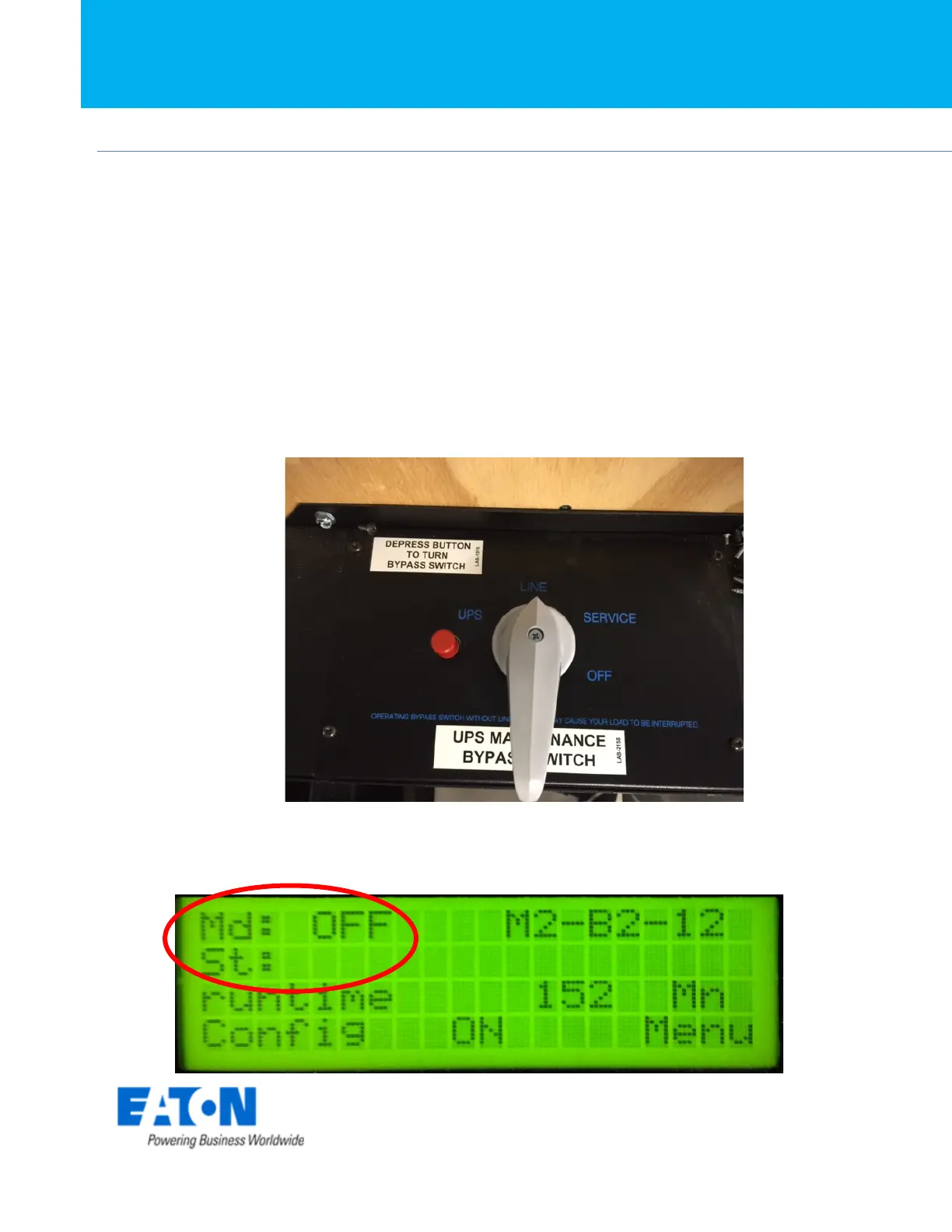
Before starting the upgrade please ensure that if you have an external bypass
switch that the switch is placed in the line position. If you do not have a
bypass switch ensure the loads have been powered down prior to
proceeding.
2. Turn UPS off via the front panel. When the UPS is in the off mode the display
will read as follows.



 To Next Page