EasyManua.ls Logo

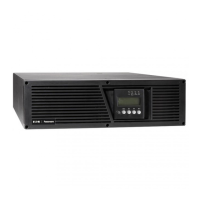
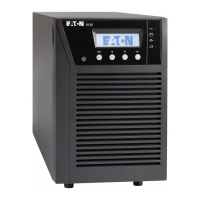
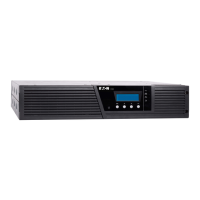
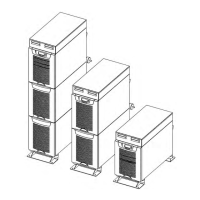
Eaton 9130 - User Manual

Eaton 9130
98 pages
Print Icon
To Next Page IconTo Next Page
Loading...
Eaton
®
9130 UPS
700/3000 VA
User's Guide

Table of Contents

Other manuals for Eaton 9130

Questions and Answers

  • R
    Ronald SmithAug 18, 2025
    Why is my Eaton 9130 UPS not providing the expected backup time?
    • C
      Carla HooverAug 18, 2025
      If your Eaton UPS isn't providing the expected backup time, the batteries may need charging or servicing. Apply utility power for 48 hours to charge the batteries. If the issue continues after charging, further assistance may be needed.
  • V
    Victoria RichardAug 21, 2025
    What does it mean when the battery low LED is flashing slowly on my Eaton 9130?
    • A
      Alexander GreenAug 21, 2025
      If the Battery Low LED is flashing slowly and the Eaton UPS beeps every second, the UPS is in Battery mode, and the battery is running low. This warning is approximate, and the actual time to shutdown may vary significantly. Depending on the UPS load and number of Extended Battery Modules (EBMs), the 'Battery Low' warning may occur before the batteries reach 25 % capacity.
  • R
    richard61Aug 23, 2025
    What to do if the Overload LED is on and Eaton 9130 beeps?
    • Z
      zcarrAug 23, 2025
      If the Overload LED is illuminated and the Eaton UPS beeps once per second, it means the power requirements of your connected equipment exceed the UPS capacity. To resolve this, remove some equipment from the UPS. The UPS will continue to operate, but may switch to Bypass mode or shut down if the load increases further. The alarm will reset once the overload condition is resolved.
  • C
    Christine WaltonAug 26, 2025
    How to fix Eaton 9130 UPS when on battery LED is on?
    • M
      michael47Aug 27, 2025
      When the 'On Battery' LED is illuminated and the Eaton UPS beeps every 5 seconds, it indicates a utility failure, and the UPS is operating in Battery mode. The UPS is currently powering your equipment with battery power. It is recommended to prepare your equipment for shutdown to avoid data loss or damage.
  • D
    David KelleyAug 28, 2025
    What to do if the Overtemperature LED is on and Eaton 9130 UPS beeps?
    • E
      ethompsonAug 28, 2025
      If the Overtemperature LED is on and the Eaton UPS beeps every second, the internal temperature of the UPS is too high, or a fan has failed. If the UPS has switched to Bypass mode, it will return to normal operation when the temperature decreases by 5 °C below the warning level. If the condition persists, shut down the UPS, clear any obstructions from the vents, remove any nearby heat sources, and ensure adequate airflow around the unit. Then, restart the UPS. If the issue continues, further assistance may be needed.
  • J
    jameshowardAug 31, 2025
    How to restore power from Eaton UPS output receptacles?
    • K
      Kim WallsAug 31, 2025
      If power is not available at the UPS output receptacles, the Eaton UPS might be in Standby mode. To supply power to the connected equipment, press the On/Off button for at least one second, until the front panel displays 'UPS starting...'
  • J
    John HendersonSep 2, 2025
    Why is the On Bypass LED on and Eaton 9130 beeping?
    • J
      james10Sep 2, 2025
      If the 'On Bypass' LED is lit and the Eaton UPS beeps every 5 seconds, the UPS is in Bypass mode. In this mode, the equipment is running on utility power and is not protected by the battery. However, the utility power continues to be passively filtered by the UPS. Check for alarms such as overtemperature, overload, or UPS failure.
  • M
    Margaret ColeSep 4, 2025
    Why won't my Eaton 9130 UPS start?
    • T
      Timothy MacdonaldSep 5, 2025
      If the Eaton UPS does not start, check the power cord connections to ensure they are correctly connected. Also, check if the Remote Power-off (RPO) switch is active or the RPO connector is missing. If the UPS Status menu displays the 'Remote Power Off' notice, inactivate the RPO input.
  • J
    Jacob RuizSep 7, 2025
    Why is my equipment not powered when the Eaton 9130 is on?
    • E
      elizabethpetersSep 7, 2025
      If the Eaton UPS operates normally, but some or all of the protected equipment is not on, verify that the equipment is plugged into the UPS receptacles.
  • C
    caitlin61Sep 9, 2025
    What does it mean when Batteries disconnected LED is on for Eaton 9130 UPS?
    • J
      John SmithSep 9, 2025
      If the 'Batteries disconnected' LED is illuminated and the Eaton UPS beeps every second, the UPS does not recognize the internal batteries, or the batteries are disconnected. Verify that all batteries are properly connected. If the condition persists, further assistance may be needed.

Summary

Declaration of Conformity

Requesting Declaration of Conformity

How to obtain the EC Declaration of Conformity for CE-marked products.

EMC Compliance Statements

FCC Part 15 and EN 62040-2

EMC compliance information including FCC and European standards.

Safety Symbols Guide

Understanding Special Safety Symbols

Explains safety symbols for electric shock, battery disposal, and WEEE.

Chapter 2 Safety Warnings

Critical Hazard Alerts (DANGER;WARNING)

Critical hazards and major risks requiring strict adherence to safety protocols.

Precautions and Minor Risk Alerts (CAUTION)

Important precautions to prevent minor hazards or equipment damage.

Chapter 3 Installation

Equipment Inspection and Unpacking

Procedures for checking equipment upon arrival and unpacking the cabinet.

Accessory and Rail Kit Checks

Verifying included accessories and rail kit components for installation.

Rackmount Installation Procedures

Detailed steps for installing the UPS in a rackmount configuration.

Tower Installation Procedures

Detailed steps for installing the UPS in a tower configuration.

UPS Initial Startup

Guide to powering on the UPS for the first time after installation.

Chapter 4 Operation

Control Panel and Indicator Overview

Explains the UPS front panel controls, display, and status indicators.

Menu Navigation and Display Functions

How to navigate the UPS menu and view system information.

User Settings and Customization

Guide to configuring various user-adjustable UPS settings.

Operating Modes and Transitions

Details on Normal, Battery, Bypass, and Standby modes and transitions.

Startup, Shutdown, and Basic Operations

Procedures for starting, stopping, and basic operational tasks.

Event Log and Logic Power Off

Accessing event logs and managing logic power off functionality.

Power Strategy and Bypass Configuration

Setting power strategy and customizing bypass parameters.

Load Segment Management

How to configure and manage load segments for controlled equipment operation.

Battery Configuration and Testing

Setting up EBMs, running battery tests, and configuring automatic restart.

Chapter 5 Communication

Communication Ports and Cables

Details on RS-232, USB, and communication bay ports and cables.

Connectivity Cards and REPO

Information on available network cards and the Remote Emergency Power-off feature.

Relay Outputs and Signal Inputs

Using relay outputs for alarms and configuring signal inputs for control.

Power Management Software

Overview of software for UPS monitoring, management, and protection.

Chapter 6 Maintenance

General UPS and Battery Care

Guidelines for maintaining the UPS and batteries for optimal performance and lifespan.

Battery Replacement Guide

Procedures for replacing internal batteries and EBMs for rackmount and tower models.

Battery Testing and Disposal

Instructions for testing new batteries and proper disposal/recycling of UPS and batteries.

Firmware Update Information

How to obtain and apply firmware updates for the UPS.

Chapter 7 Specifications

Model Lists and Communication Options

Details on communication capabilities and lists of available UPS and EBM models.

Physical and Environmental Specs

Information on UPS weights, dimensions, and environmental ratings.

Electrical Input;Output and Runtime Data

Input/output specs and tables detailing battery runtime estimates.

Rear Panel Interface Diagrams

Visual layouts of the rear panel connections for various UPS models.

Chapter 8 Troubleshooting

Typical Alarms and Conditions

Identifies common alarms and their possible causes and actions.

Service and Support Information

Contact details and required information for obtaining technical support.

Chapter 9 Warranty

Limited Warranty and Load Protection Guarantee

Terms and conditions of the limited warranty and optional load protection guarantee.

Eaton 9130 Specifications

General IconGeneral
Frequency50/60 Hz
Power Factor0.9
Output Voltage230V
Battery TypeSealed lead acid
Communication PortsUSB, RS-232
Dimensions (H x W x D)Varies by model
WeightVaries by model
Power Rating700 VA - 3000 VA
TopologyDouble-conversion online
EfficiencyUp to 95% in high-efficiency mode

Related product manuals