Eaton 9130 700/3000 VA UPS User’s Guide 164201718—Rev 7 www.eaton.com/powerquality 44
Chapter 6 Maintenance
This section explains how to:
l
Care for the UPS and batteries
l
Replace the UPS internal batteries and Extended Battery Modules (EBMs)
l
Test new batteries
l
Recycle used batteries or UPS
l
Update the UPS firmware
UPS and Battery Care
For the best preventive maintenance, keep the area around the UPS clean and dust-free. If the atmosphere is
very dusty, clean the outside of the system with a vacuum cleaner.
For full battery life, keep the UPS at an ambient temperature of 25C (77F).
NOTE If the UPS requires any type of transportation, verify that the UPS is unplugged and
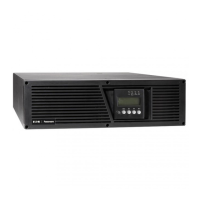
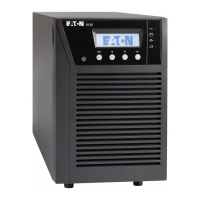
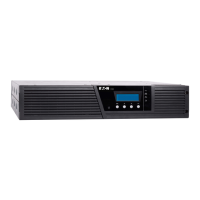
turned off and then disconnect the UPS internal battery connector (see Figure 24 on
page 46 for rackmount models or Figure 26 on page 48 for tower models).
NOTE The batteries in the UPS are rated for a 3–5 year service life. The length of service
life varies, depending on the frequency of usage and ambient temperature.
Batteries used beyond expected service life will often have severely reduced
runtimes. Replace batteries at least every five years to keep units running at peak
ef
ficiency.
Storing the UPS and Batteries
If you store the UPS for a long period, recharge the battery every six months by connecting the UPS to utility
power. The internal batteries charge to 90% capacity in less than three hours. However, Eaton rec
ommends
that the batteries charge for 48 hours after long-term storage. If optional EBMs are installed, see the recharge
times listed in Table 30 on page 68.
Check the battery recharge date on the shipping carton l
abel. If the date has passed and the batteries were
never recharged, do not use the UPS. Contact your service representative.
When to Replace Batteries
When the indicator illuminates, the audible alarm beeps, and the “Battery Needs Service” alarm displays,
the batteries may need replacing. Contact your service representative to order new batteries.
Replacing Batteries
NOTE DO NOT DISCONNECT the batteries while the UPS is in Battery mode.
Batteries can be replaced easily without turning the UPS off or disconnecting the load.
If you prefer to remove input power to change the batteries, see “UPS Shutdown” on page 33.



 To Next Page