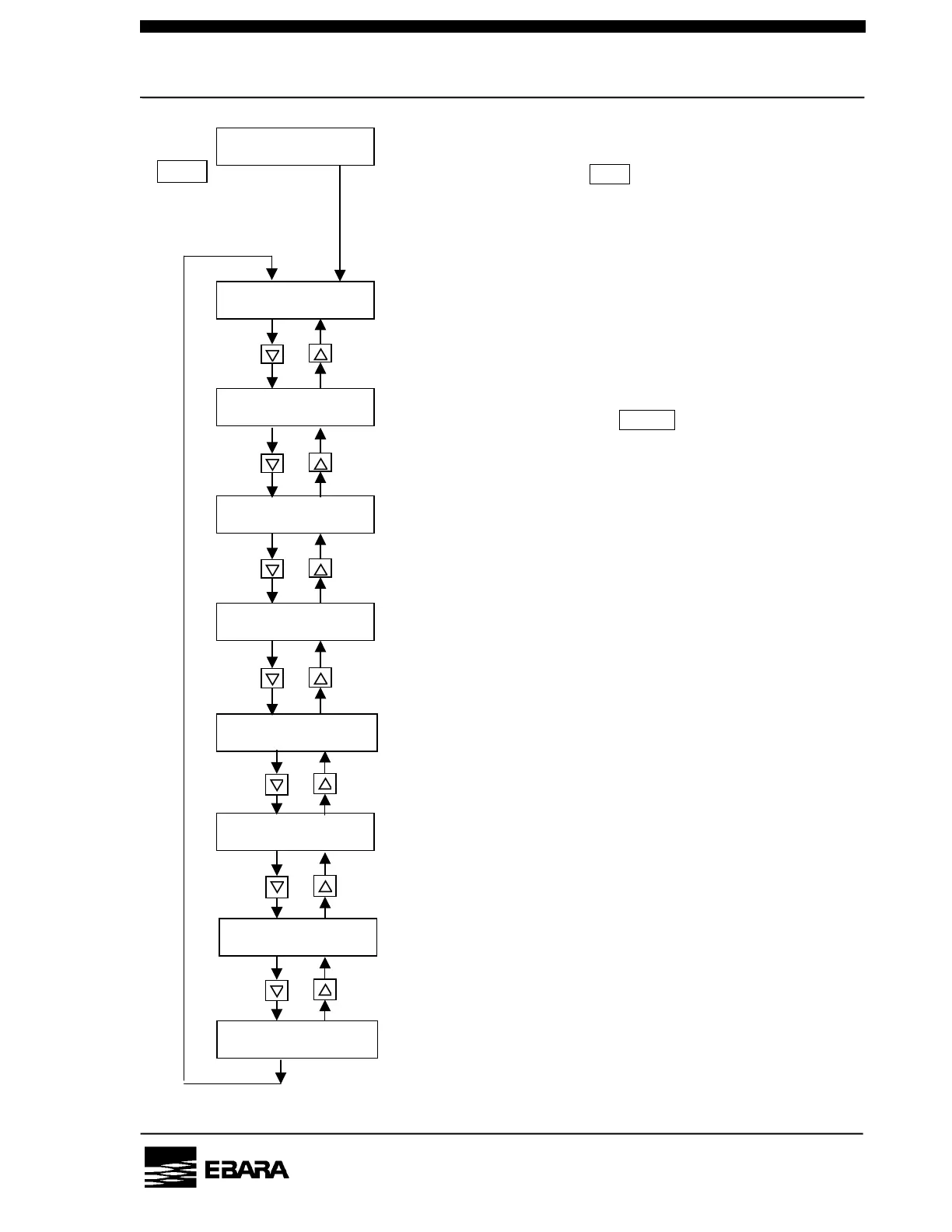
• Status display
• Setting the pump operation control mode
• Setting the DIP switch
• Setting the pump running mode
• Setting the BP Normal rotational speed
• Setting the rotational speed in the LOW SPEED mode
•
Setting the pump N2 flow low warning threshold
Pressing the key PRG. for 3 sec. or more
when the status screen is displayed switches
to the operational mode setting screen.
When the mode you want to
set is displayed, press the
ENTER to go to the setting
change screen.
Fig. 6.3 How to set the operational mode
SET
VALVE CONTROL?
• Pump Valve Control (option)
SET POINT
BACK PRESSURE?
• Setting the Back Pressure high warning threshold
(option)



 To Next Page