12 | VEHICLE HEATERS – TECHNICAL DOCUMENTATION
3 INITIAL STARTUP
AFTER CONFIRMING Add OR AddE
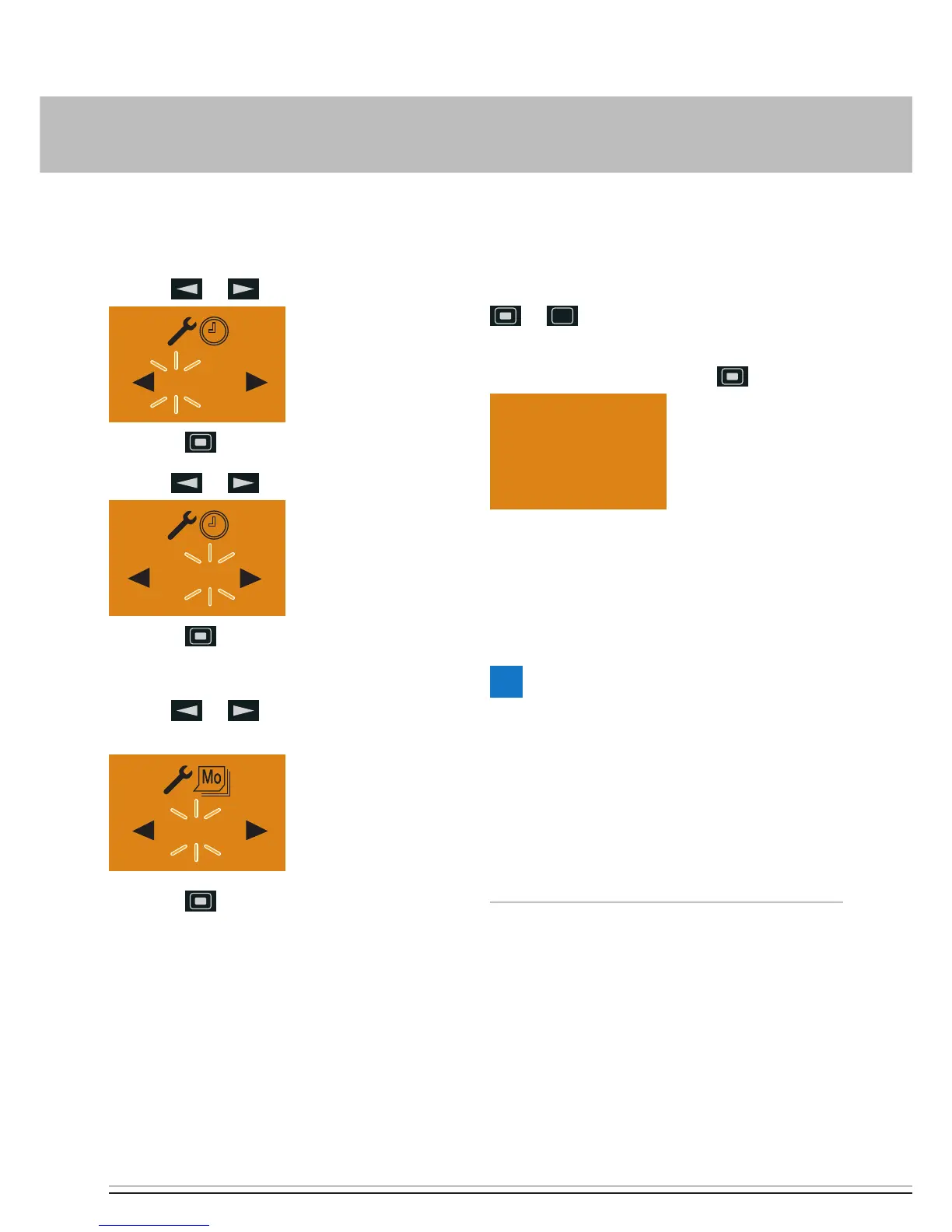
Setting the time
Use the
or button to set the hours.
06 : 00
Press the button to confirm the setting.
Use the
or button to set the minutes.
Press the button to confirm the setting.
Setting the weekday
Use the or button to set the week-
days.
Press the button to confirm the setting.
The configure the EasyStart Remote
+
.
TEACH AN ADDITIONAL MOBILE UNIT
Press the button installed in the vehicle until
the button's LED starts to flash. Press the
or button on the mobile unit; Add is
displayed.
Confirm Teach mode with the
button.
The additional mobile unit is teached.
CONFIGURING EASYSTART REMOTE
+
The system must be configured according to
its use.
PLEASE NOTE!
These installation instructions describe
the standard configuration. For details of
enhanced configuration of the EasyStart
Remote
+
and special functions, you can view
and download the “Special Functions and
Diagnosis” installation instructions from
www.eberspaecher-standheizung.com.



 To Next Page