VEHICLE HEATERS – TECHNICAL DOCUMENTATION | 13
OPENING THE VEHICLE WORKSHOP MENU
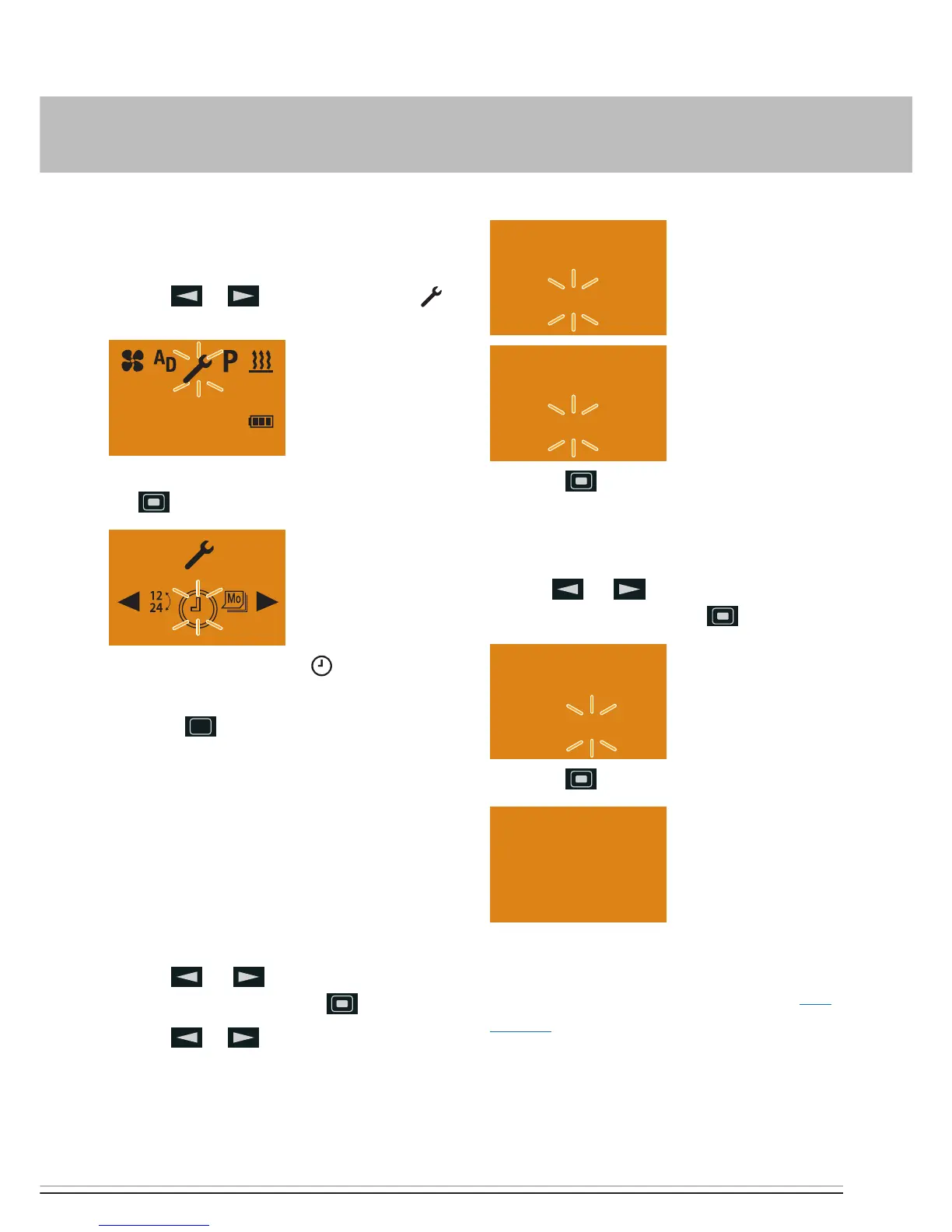
Display ON, the Start display appears.
Use the
or button to select the
symbol in the Menu bar.
Confirm the SETTINGS menu item by pressing
the button.
The SET THE TIME symbol is displayed
flashing.
Press the
LONGPRESS button for longer
than 5 sec.; the Workshop menu is displayed.
SELECTING THE SETTINGS FOR THE STAND-
ARD CONFIGURATION
SELECTING THE TEMPERATURE UNITS –
ITEM 2:
Default: °C
Use the
or button to select Item 2:
and confirm by pressing the button.
Use the
or button to select the tem-
perature units °C or °F.
Press the button to confirm the selection.
RESETTING TO AS-DELIVERED CONDITION –
ITEM 5:
Use the
or button to select Item 5:
and confirm by pressing the button.
Press the button to confirm the selection.
Following the automatic detection the cur-
rent time and the current weekday must be
entered, then the Start display appears. (see
page 12).
3 INITIAL STARTUP



 To Next Page