afterwards! Please save this manual for additional features. The following steps in this manual are only
needed if the camera is not accessible from outside the network, or if you want to use additional features.
If it didn’t succeed, it is most likely that UPnP is not supported by your router, please set the port forwarding
manually (as explained in the next step). You can always leave UPnP on, whether it’s working or not. If DDNS
status still doesn’t show ‘succeed’ please check the FAQ, Chapter 4, at the back of this manual or our
website www.ebodeelectronics.eu
.
3.7.3 Set Port Forwarding in the router (Manually)
ADVISORY: We highly recommend you to give the ebode camera a static IP address. This ensures you that
the camera will always have the same IP address, and reduces the risk of not being able to access and
control the camera by your mobile device. To give your camera a static IP address, please check step 3.3 in
this manual.
This is the most important step. Please check the ‘extra information’ in step 3.4 for more information about
routers and port forwarding.
In order to get the DDNS to work, you have to forward your cameras port in the router. You need:
- IP address of the camera
- Port of the camera
- Default gateway IP address of the router
- Username and password of the router
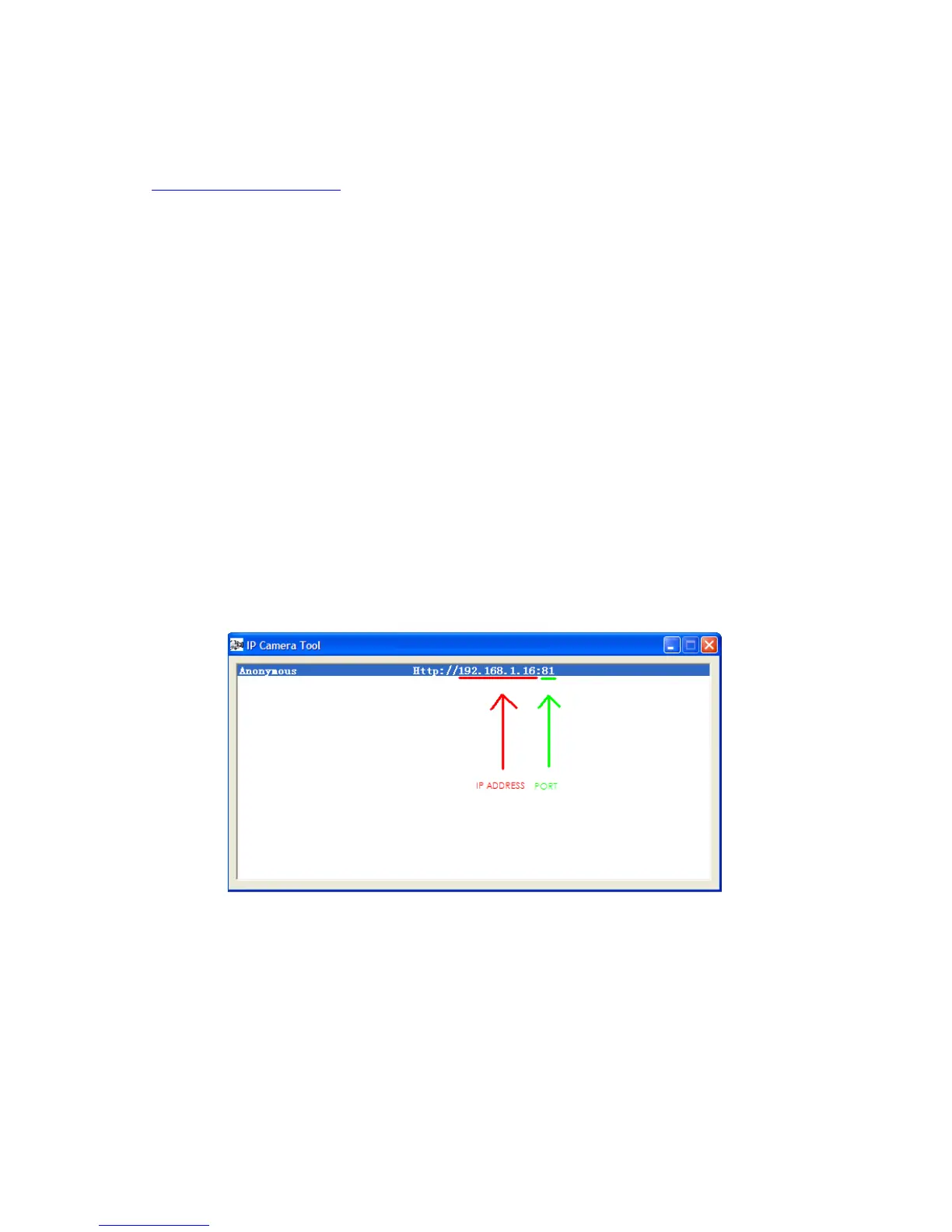
The first two items can be found if you start up the IP Camera tool from your desktop. As an example the IP
address from the below image is 192.168.1.16 and the port is 81.
REMEMBER: Your camera should not be on Port 80. If it is, please go to step 3.7.1 to change the port number.
How to discover the default gateway IP address in MS Windows Vista, 7: Click ‘Start’, and type in ‘cmd’,
press enter. (see image below)



 To Next Page