March 2013 17 IPV58
Figure 2.6
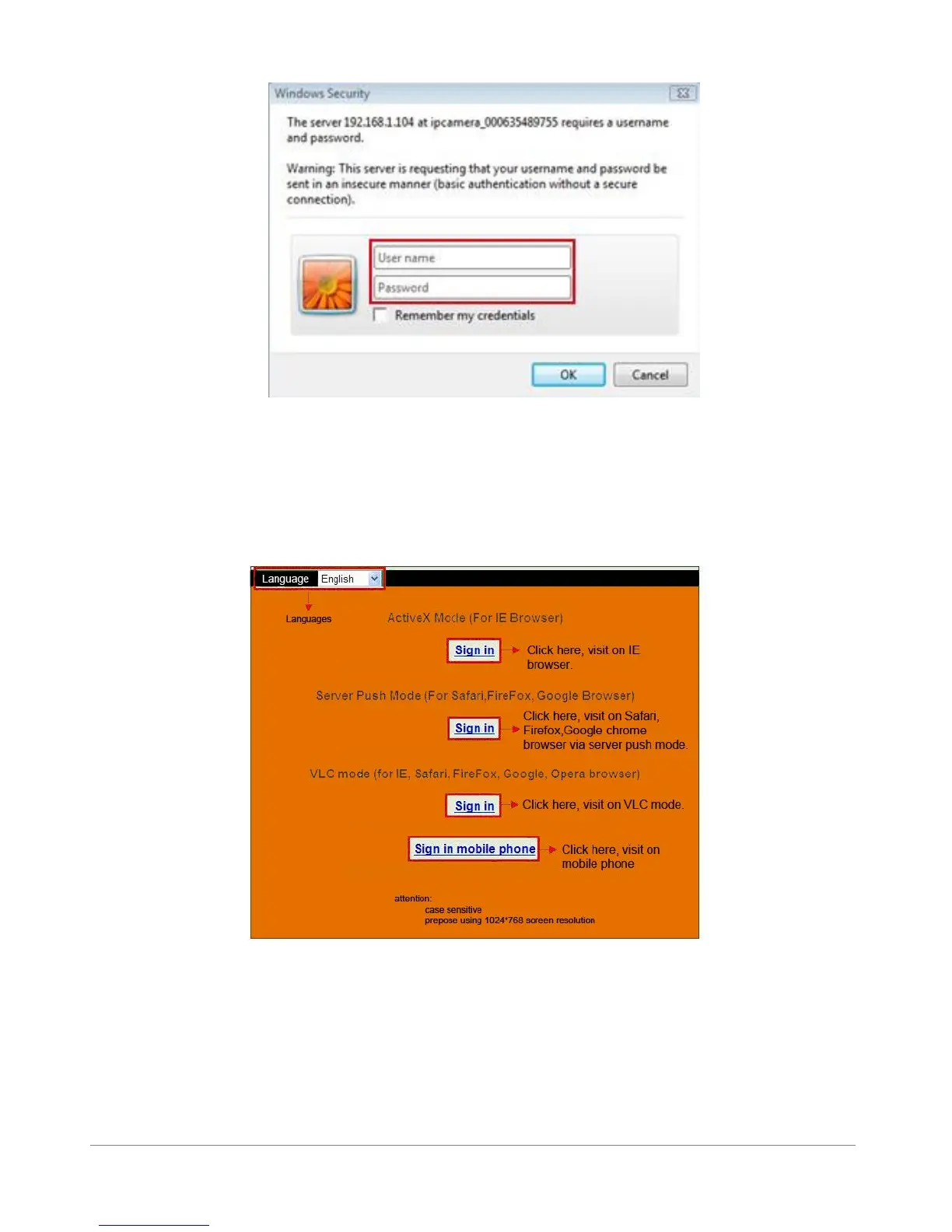
The default user name is admin, no password (please leave password blank)
Input the correct user name and password, the Sign In interface will pop-up.
There are three models to login (figure 2.7).
Figure 2.7
(1) Active Mode (For IE Browser): available in IE6.0 or above explorer
(2) “Server Push Mode”: available in Firefox, Safari, and Google Chrome browser.
(3) “Sign in mobile phone”: available in Mobile phone
1.8.1 For IE Browser (Microsoft Windows default browser “Internet Explorer”)
Choose Active Mode (For IE Browser), and sign in.



 To Next Page