March 2013 30 IPV58
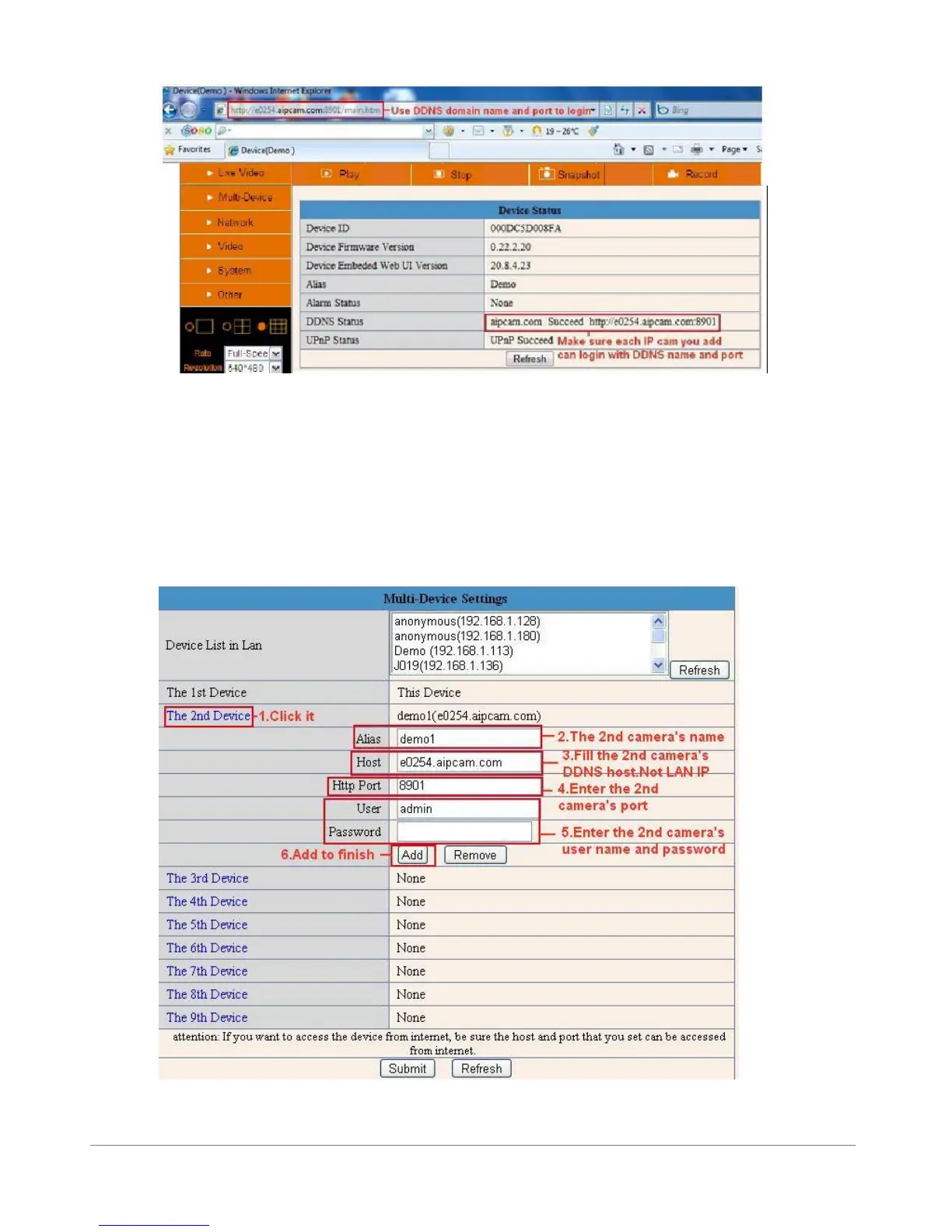
Figure 5.0
Click Multi-Device, select Multi-Device Settings. Choose the 2nd Device; fill in the 2nd camera’s
Alias, Host, Http Port, User, Password by manual, click Add. Set more devices in the same way, after all
done, please click Submit.
NOTE: The Alias is optional; you can set the alias as per your wish. The Host must be the camera’s DDNS
domain name, and without “http://”, it’s not the Lan IP address.
If you have several cameras, you can use the same DDNS domain name, just set different port number
for each different camera.
Figure 5.1



 To Next Page