March 2013 48 IPV58
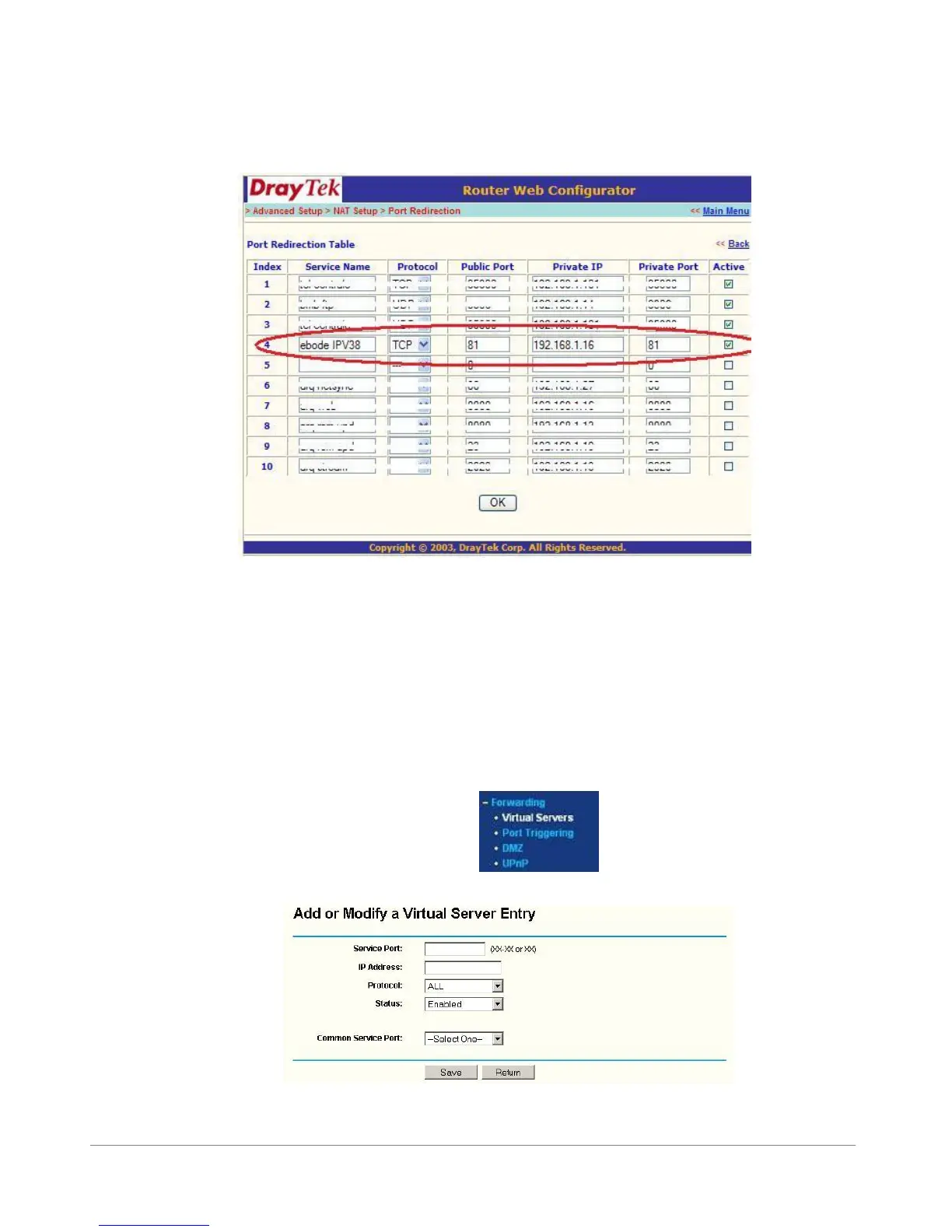
Private IP: Is the IP address of the camera. Again, you can use the IPCamera Tool to look it up
Private Port: This is the same as public port
Please tick the box for ‘active’
Then press ok
Now go to the DDNS Status from step 3.7.2 and check if it says ‘succeed’. You should now be able to login
to the camera from another location.
However, we showed you just one example, there are many different kinds of routers, therefore it’s difficult
to show fixed steps for each router, but here are some other samples of different router’s port forwarding
settings. Remember, portforwarding.com is a very useful source of information.
TP-LINK:
1. Login the router.
2. Choose “Forwarding”, select “Virtual Servers”
3. Click the Add New button, pop-up below:
Figure 7.5



 To Next Page