Set dosing level (dosing quantity):
Set dosing level (dosing quantity):
https://www.youtube.com/watch?v=oP_XXo85Zfg
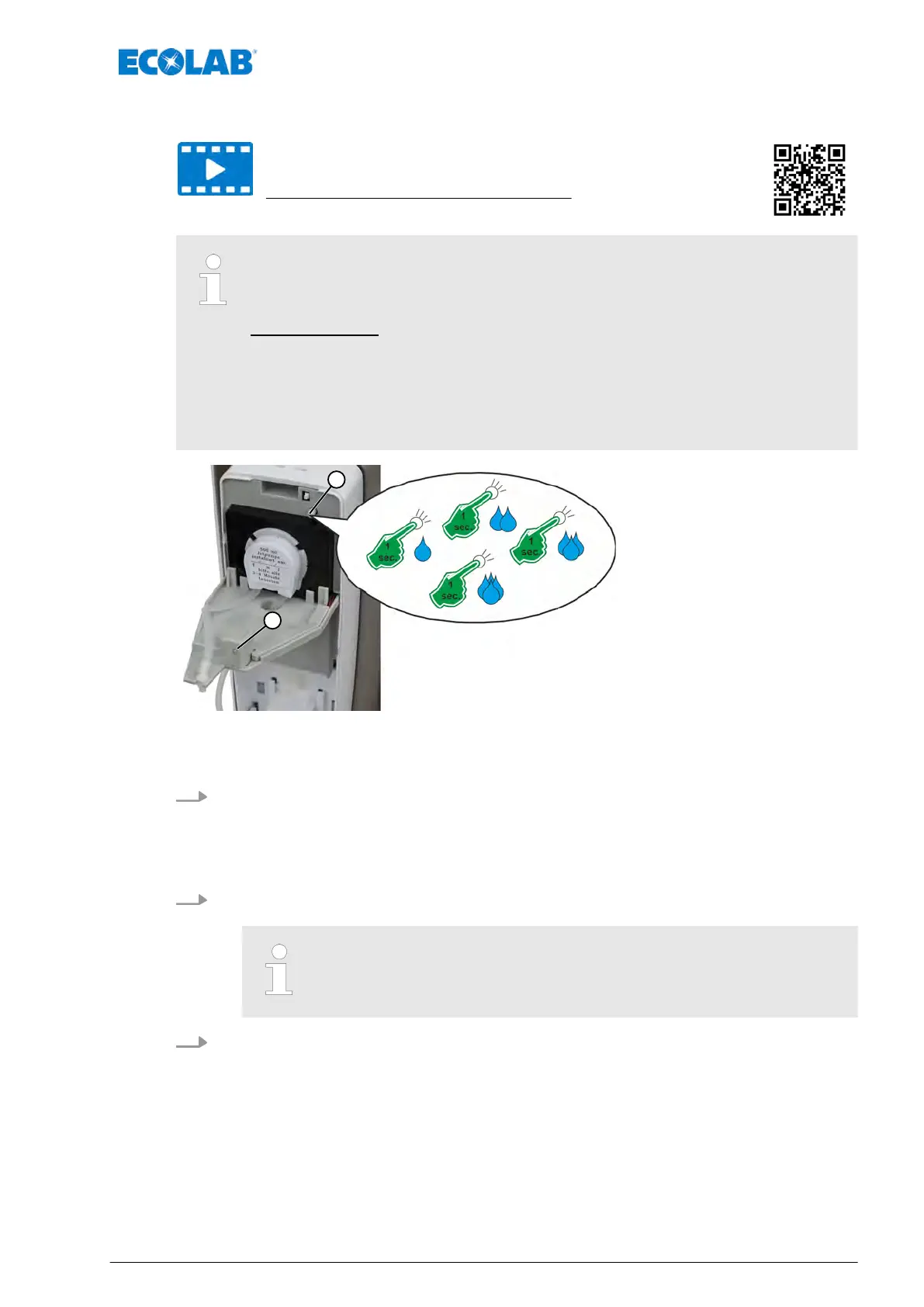
The discharge quantity per dosing process can be adjusted in four steps
with the housing cover open by pressing the round setting knob, pos. 1
(approx. One second).
Factory setting: Step 2 = the dispenser doses about 3.2 ml of liquid.
The entire preset dispensing quantity is dosed without interruptions. From
Level 2 onwards, we recommend using both hands to catch the dosing
amount.
The dosing amount can be less if the media has high viscosity.
Fig. 4: Setting the dosing level (dosing amount)
1 Adjusting knob ‘Dosing quantity’ 2
LED
1. The unit is preset to Level 2 by the factory.
The dispenser doses approx. 3.2 ml liquid.
Press the setting knob (position 1) to activate step 3.
ð
The red LED (pos. 2) flashes three times = the dispenser doses approx. 4.8 ml of
liquid.
2. Press the setting knob again to activate level 4.
ð
The red LED flashes four times = the dispenser doses approx. 6.4 ml liquid.
From here the settings level starts again from the beginning:
From level 1 to level 4.
3. Press the button again to return to dosing level 1
ð
The red LED flashes once = the dispenser doses approx. 1.6 ml of liquid.
Commissioning
27 MAN048961, Rev. 2-09.2020


 To Next Page