35/83
Version 1.0
Cardio
CardioCardio
Cardio-
--
-M Plus
M PlusM Plus
M Plus
Operation Manual
Operation ManualOperation Manual
Operation Manual
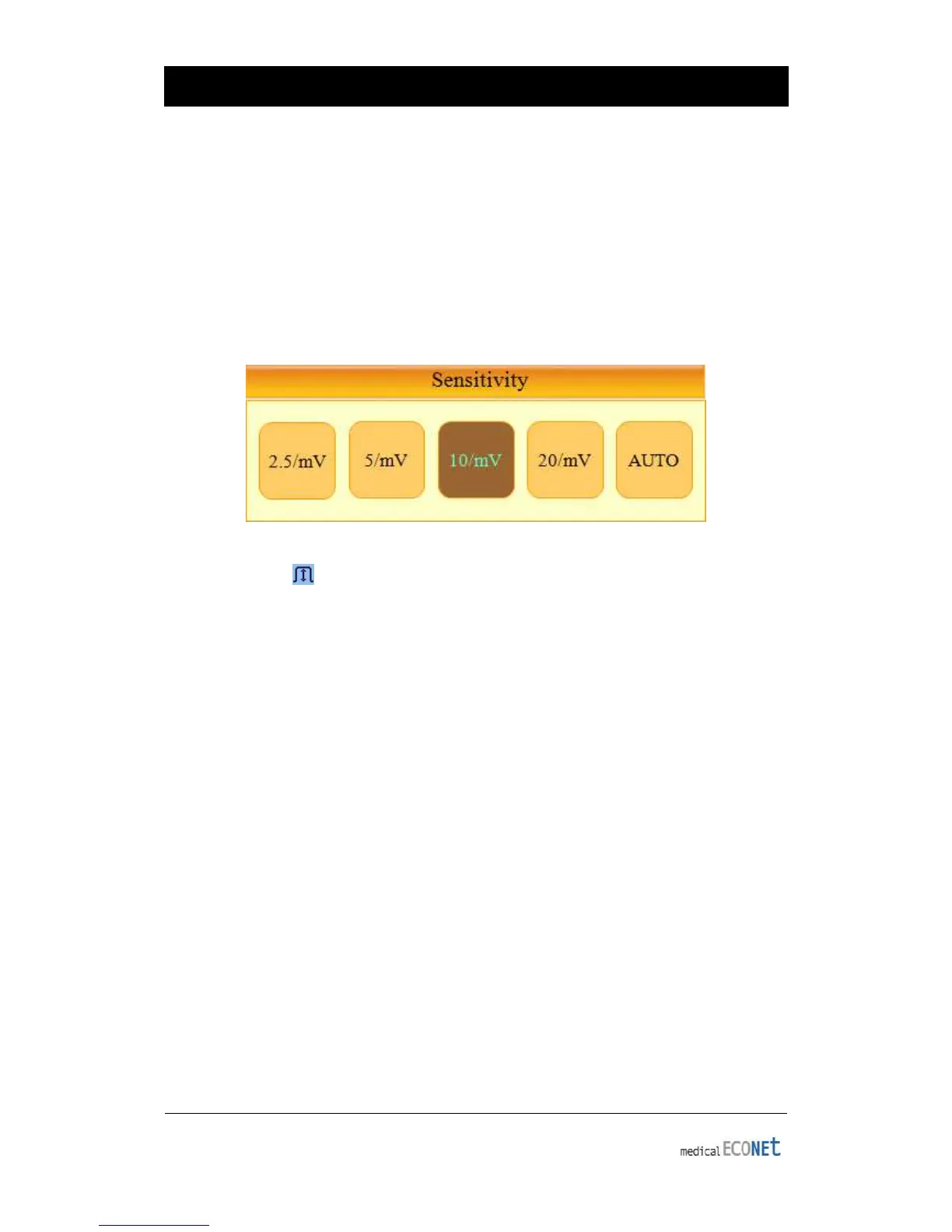
Sensitivity Setup
This is a functionality that can modify sensitivity of the output signal, when the
outputting signal’s amplitude is too large to cause overlap with neighboring signals, or
too small so that signal diagnosis is difficult.
Users can set all 12 channels to 2.5mm/mV, 5mm/mV, 10mm/mV or 20mm/mV. Users
can also set it to Auto which will automatically set the sensitivity level for each channel;
for example I, II, III, aVR, aVL, aVF to 10 mm/mV and V1, V2, V3, V4, V5, V6 to 5mm/mV.
Note that 10mm/mV means printing 1mV signal as 10mm in amplitude on the printing
paper
.
To change the sensitivity of the signal, select and enter the wave amplitude menu on
the main display ( ) using the rotary key or touch screen, and open the setting menu
display shown above. After that, use the rotary key to select the desired sensitivity level
and press down to enter or select it using the touch screen to set the size of waveform
displayed on screen.
Selected values are shown on the bottom of EKG printouts in the following way:
when 2.5, 5, 10 and 20 are selected, they will be displayed as “all channels:
2.5mm/mV,” “all channels: 5mm/mV,” “all channels: 10mm/mV” and “all channels:
20mm/mV” When Auto is selected, sensitivity level will be printed as “I-aVF: 10mm/mV,
V1-V6: 5mm/mV.”
The left side of the graph display will show the channel name and a bar graph, so
users can notice recently changed values easily. (For 20mm/mV, only one bar graph
will appear so that overlapping of indicators does not occur.)
Printing Speed Setup
This is the function used to adjust the width of the signal displayed. Three values, 12.5
mm/s, 25 mm/s, and 50 mm/s are available for adjustment. 25 mm/s means to record
the signal of the electrocardiogram for a second on 25 mm. Therefore, the width of 12.5
mm/s is a half of the width of 25 mm/s, and the width of 50 mm/s becomes two times
the width of 25 mm/s. If you want to record the broad width of the signal, set up the
higher value.


 To Next Page