The data, information and descriptions, and the technology described herein are the exclusive intellectual property of Ecotechnics S.p.A. and constitute industrial
secrets. Said information is communicated in strict confidentiality; said information may be used only for the purpose for which it is communicated; said information
may not be divulged, communicated, or revealed to third parties and/or reproduced by any means for any reason whatsoever; said information is protected under
applicable Italian competition and industrial property law.
Service manual VA500-VA750 ed.1 ver.5.05 [MANU360.SA0].doc pag.11 - 18/10/2005
T1 T3
T8
T6
T9
T5
T4 T7 T12 T10 T11
T2 T13
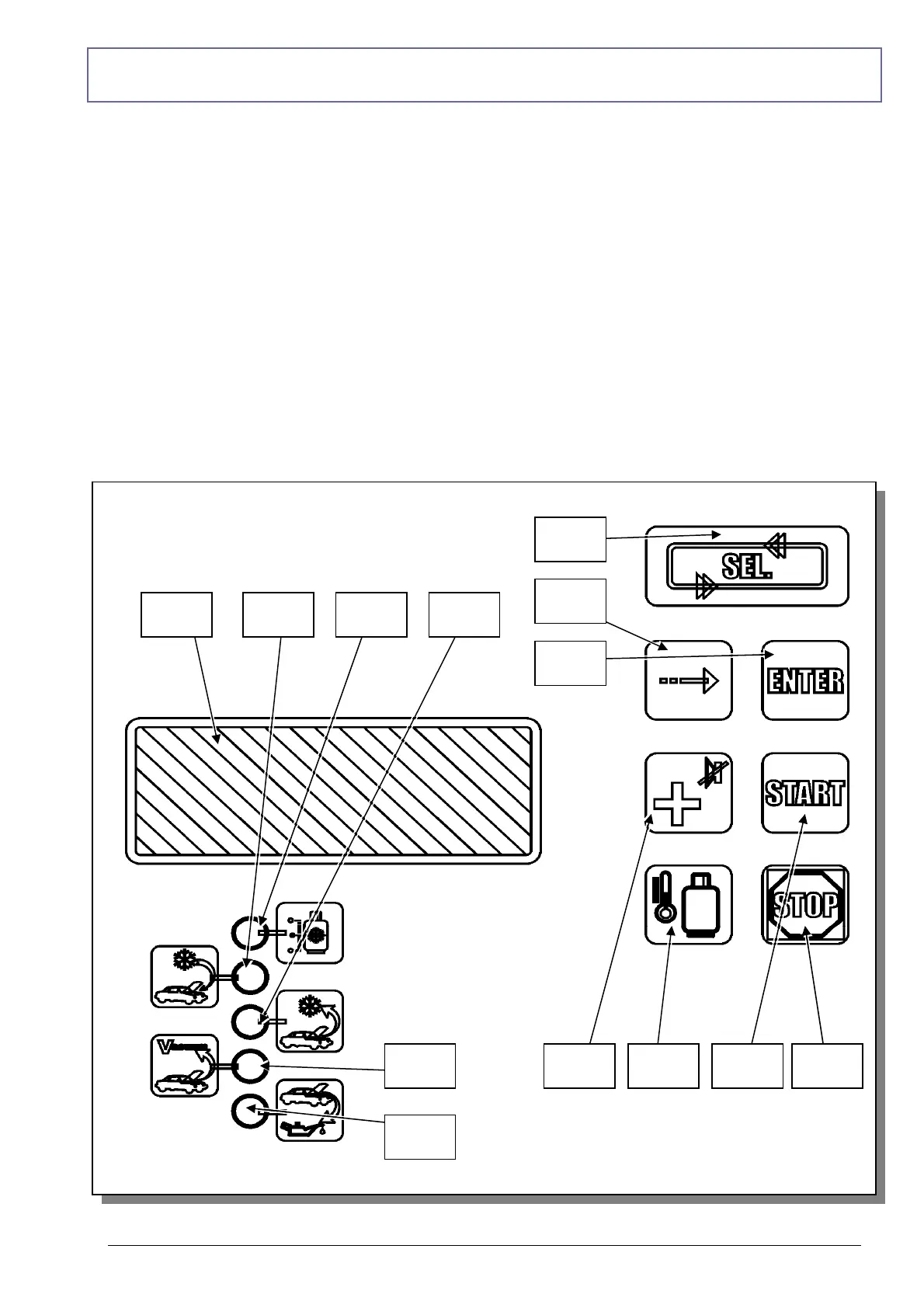
FUNCTION SELECTOR KEYBOARD
(T1) Availability LED indicator: when lit, the display reports the quantity of refrigerant fluid
contained in the bottle.
(T2) Charging LED indicator (flashes during the CHARGING phase).
(T3) Recovery LED indicator (flashes during the RECOVERY phase).
(T4) Vacuum LED indicator (flashes during the VACUUM phase).
(T5) Oil Discharge indicator (flashes during the OIL DISCHARGE phase).
(T6) SEL key: Selects the operation to be performed. Every time this key is pressed one of the
LEDs from T1 through T4 will light in sequence; the LED alongside each operation indicates
that the operation may be started or that it is being performed (flashing LED).
(T7) + key: Each time this key is pressed during the operations relative to setting the time and
the quantity, the value of the flashing digit on the display will be increased by one unit.



 To Next Page