The data, information and descriptions, and the technology described herein are the exclusive intellectual property of Ecotechnics S.p.A. and constitute industrial
secrets. Said information is communicated in strict confidentiality; said information may be used only for the purpose for which it is communicated; said information
may not be divulged, communicated, or revealed to third parties and/or reproduced by any means for any reason whatsoever; said information is protected under
applicable Italian competition and industrial property law.
pag.6 - 18/10/2005 Service manual VA500-VA750 ed.1 ver.5.05 [MANU360.SA0].doc
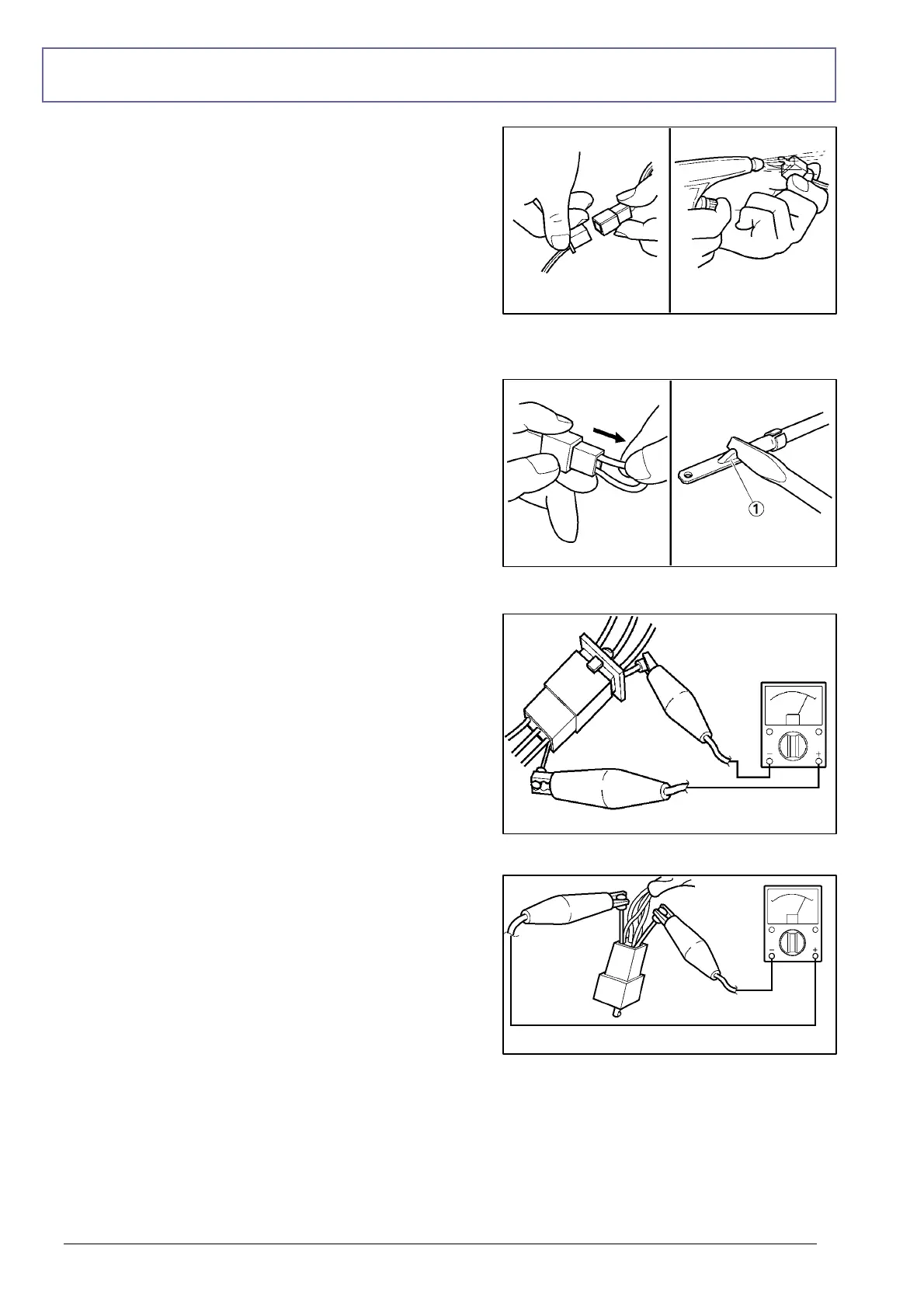
CHECKING THE CONNECTIONS
Check the leads, couplers, and connectors for stains,
rust, moisture, etc.
1.Disconnect: Lead, Coupler, Connector
2.Check: Lead, Coupler, Connector
Moisture Æ Dry with an air blower.
Rust/stains Æ Connect and disconnect several
times.
3.Check: all connections
Loose connection Æ Connect properly.
If the pin 1 on the terminal is flattened, bend it up.
4.Connect: Lead, Coupler, Connector
NOTE: Make sure all connections are tight.
5.Check: continuity (with the pocket tester)
NOTE: If there is no continuity, clean the
terminals. When checking the wire harness,
perform steps (1) to (3). As a quick remedy, use a
contact revitalizer available at most part stores.



 To Next Page