EN
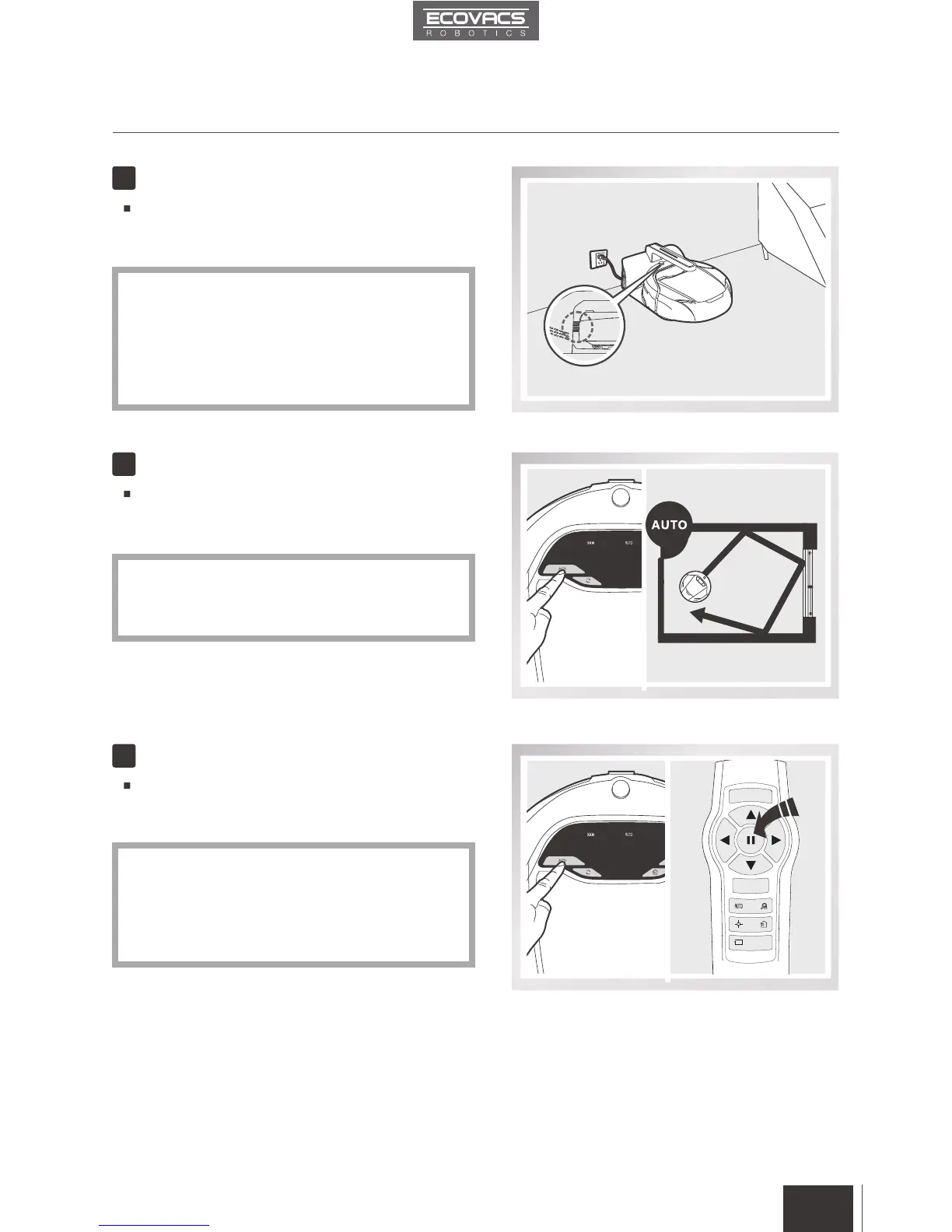
Charge DEEBOT 6
Start
Pause
Place DEEBOT 6 on the Charging Dock making
sure the Charging Contacts on DEEBOT 6 and
the Charging Dock Pins make a connection.
Press the AUTO Mode Button on the robot or
on the Remote Control.DEEBOT 6 starts to
work immediately in AUTO Cleaning Mode.
Pause DEEBOT 6 by pressing any button on
DEEBOT 6 or the Pause Button on the Remote
Control.
4
5
6
9
To choose another Cleaning Mode, please
refer to section 3.3 Cleaning Mode Selection
for details.
Charge DEEBOT 6 for at least 12 hours
before the rst use.
The Status Light Indicators on the top of the robot
and the Battery Display on the robot’s Control
Panel Screen blink when DEEBOT 6 is charging
and go off when DEEBOT 6 is fully charged.
DEEBOT 6 can be directed to move forward,
backward, left and right using the Direction
Control Buttons on the Remote Control when
it is Paused. DEEBOT 6 does not clean when
Paused.
3. Operating and Programming
*
*
*
*














 To Next Page