19
ECOWATER
SYSTEMS
Service Information
AUTOMATIC ELECTRONIC DIAGNOSTICS
This Central Water Filtration System has a self-diagnostic function for the
electrical system (except input power). The controller monitors electronic
components and circuits for correct operation. If a malfunction occurs, an
error code appears in the display.
The troubleshooting chart on the previous page shows the error codes that
could appear, and the possible malfunctions for each code.
While an error code appears in the display, all buttons are inoperable
except the SELECT button. SELECT remains operational so the service
person can perform the Manual Advance Diagnostics, see below, to further
isolate the problem.
MANUAL ADVANCE DIAGNOSTICS
Use the following procedures to advance the Central Water Filter through
the recharge cycles to check operation.
Remove the top cover by unlocking the two tabs along the back side and
lifting, to observe cam and switch operation during valve rotation.
1. Press and hold
SELECT for 3 seconds until “000” shows in the display.
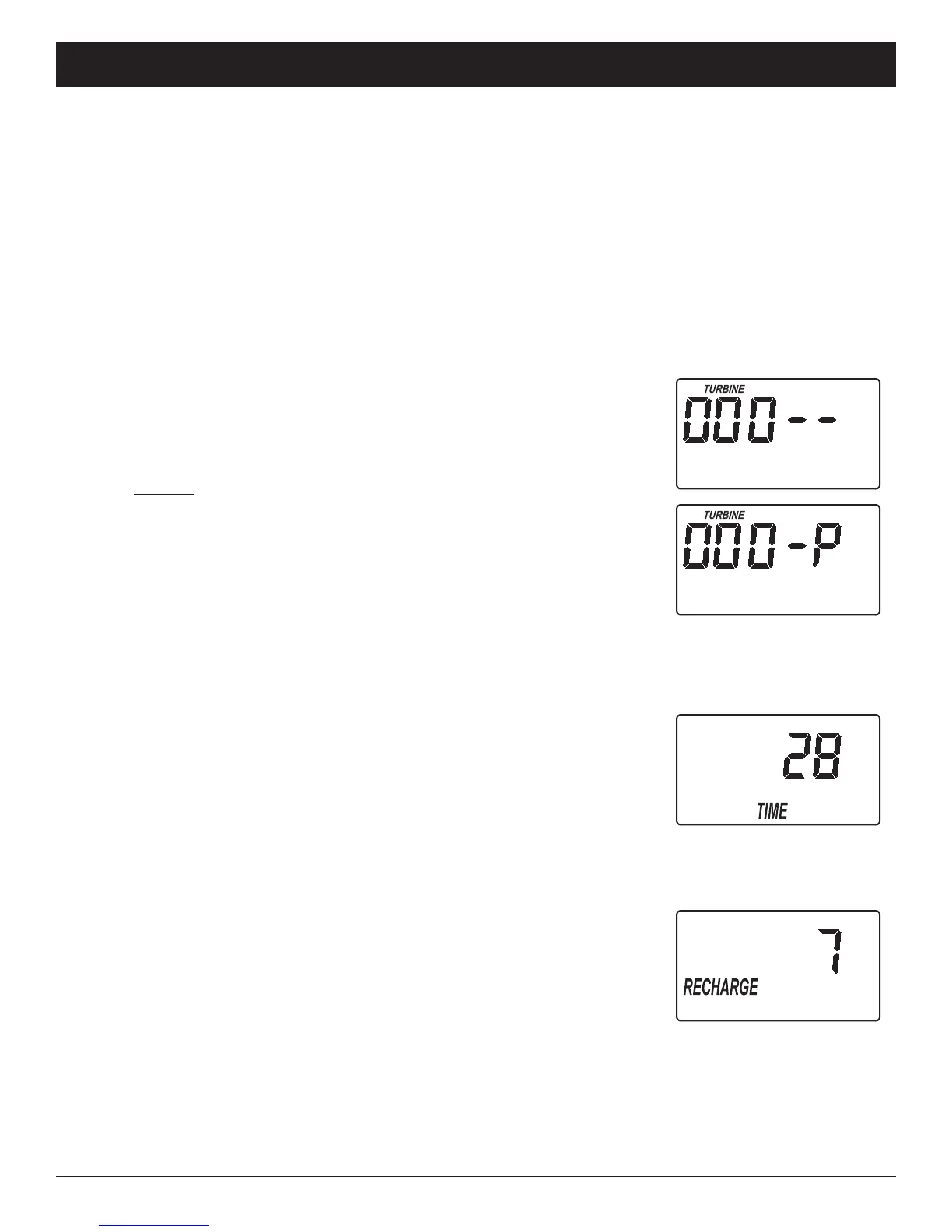
2. The letter “P” and a dash (or dashes) indicate POSITION switch opera-
tion (See Figure 24). If the letter appears, the switch is closed. If the
dash shows, the switch is open.
3. Use the RECHARGE button to manually advance the valve into each
cycle and check correct switch operation.
4. While in this diagnostic screen, the following information is available and
may be beneficial for various reasons. This information is retained by the
computer from the first time electrical power is applied to the electronic
controller.
a. Press the
UP button to display the number of days this electronic
control has had electrical power applied (See Figure 25).
b. Press the
DOWN button to display the number of recharges initiat-
ed by this electronic control since the code number was entered (See
Figure 26).
5. Press and hold the SELECT button until the model code (“EC”) shows in
the display. This code identifies the filter model. If the wrong number
shows, the filter will operate on incorrect configuration data.
6. To change the code number, press the
UP or DOWN button until
the correct code shows.
7. To return to the present time display, press the SELECT button.
FIG. 24
FIG. 25
FIG. 26



 To Next Page