C
C
o
o
n
n
n
n
e
e
c
c
t
t
i
i
n
n
g
g
I
I
/
/
O
O
D
D
e
e
v
v
i
i
c
c
e
e
s
s
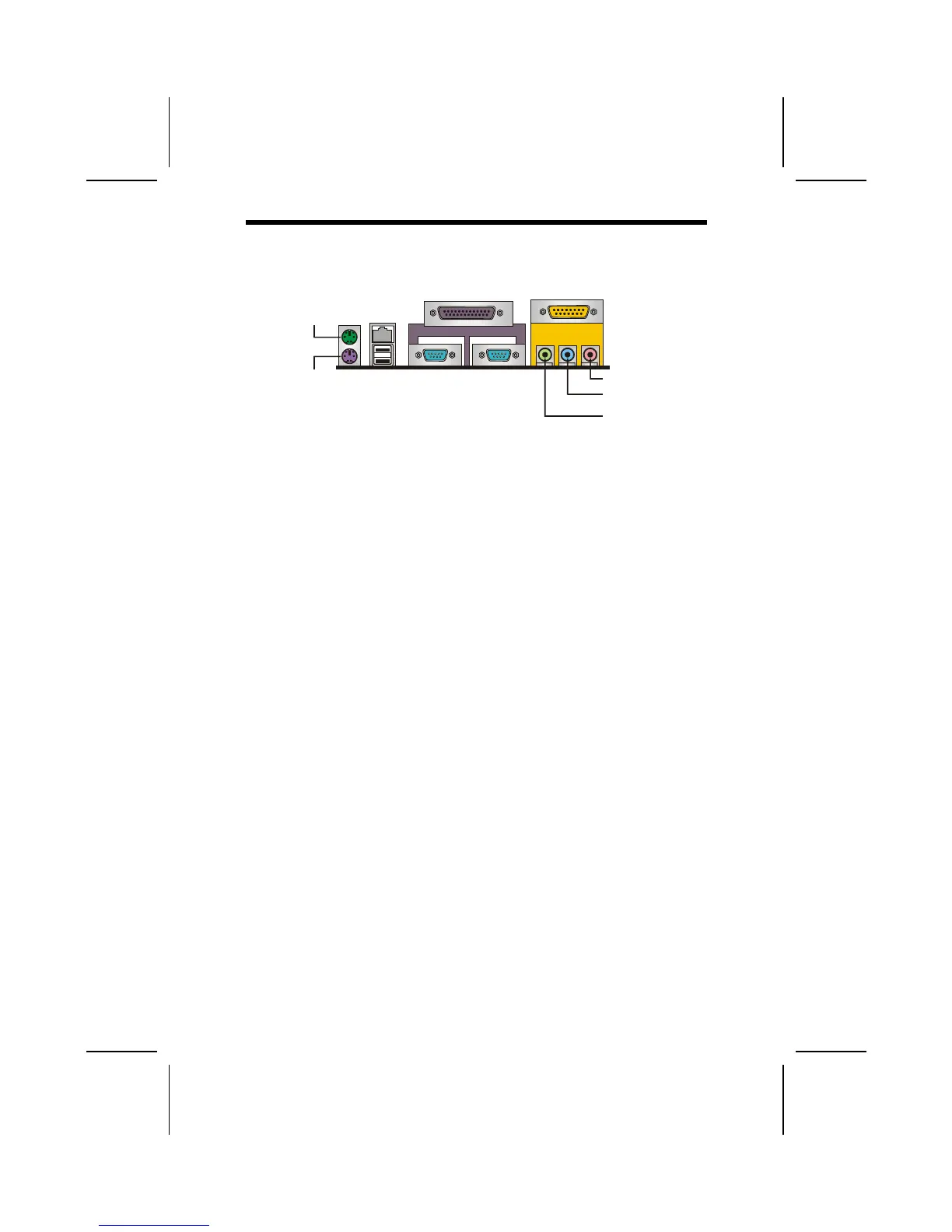
The backplane of the mainboard has the following I/O ports:
PS/2
mouse
PS/2
keyboard
USB
ports
Parallel port (LPT1)
Serial port
COM 1
VGA Port
Line-in
Game port
Microphone
Line-out
LAN
port
PS/2 Mouse Use the upper PS/2 port to connect a PS/2 point-
ing device.
PS/2 Keyboard Use the lower PS/2 port to connect a PS/2 key-
board.
LAN Port
(optional)
Use the LAN port to connect to the network.
USB Ports
Use the USB ports to connect USB devices.
LPT1 Use LPT1 to connect printers or other parallel
communications devices.
COM1 Use the COM ports to connect serial devices
such as mice or fax/modems. COM1 is identified
by the system as COM1/3.
Game Port Use the game port to connect a joystick or a
MIDI device.
VGA Port Use the VGA port to connect an external moni-
tor.
Audio Ports Use the three audio ports to connect audio de-
vices. The left side jack is for a stereo line-out
signal. The middle jack is for a stereo line-in
signal. The right side jack is for a microphone.
23



 To Next Page