9
Installing the Motherboard
Checking Jumper Settings
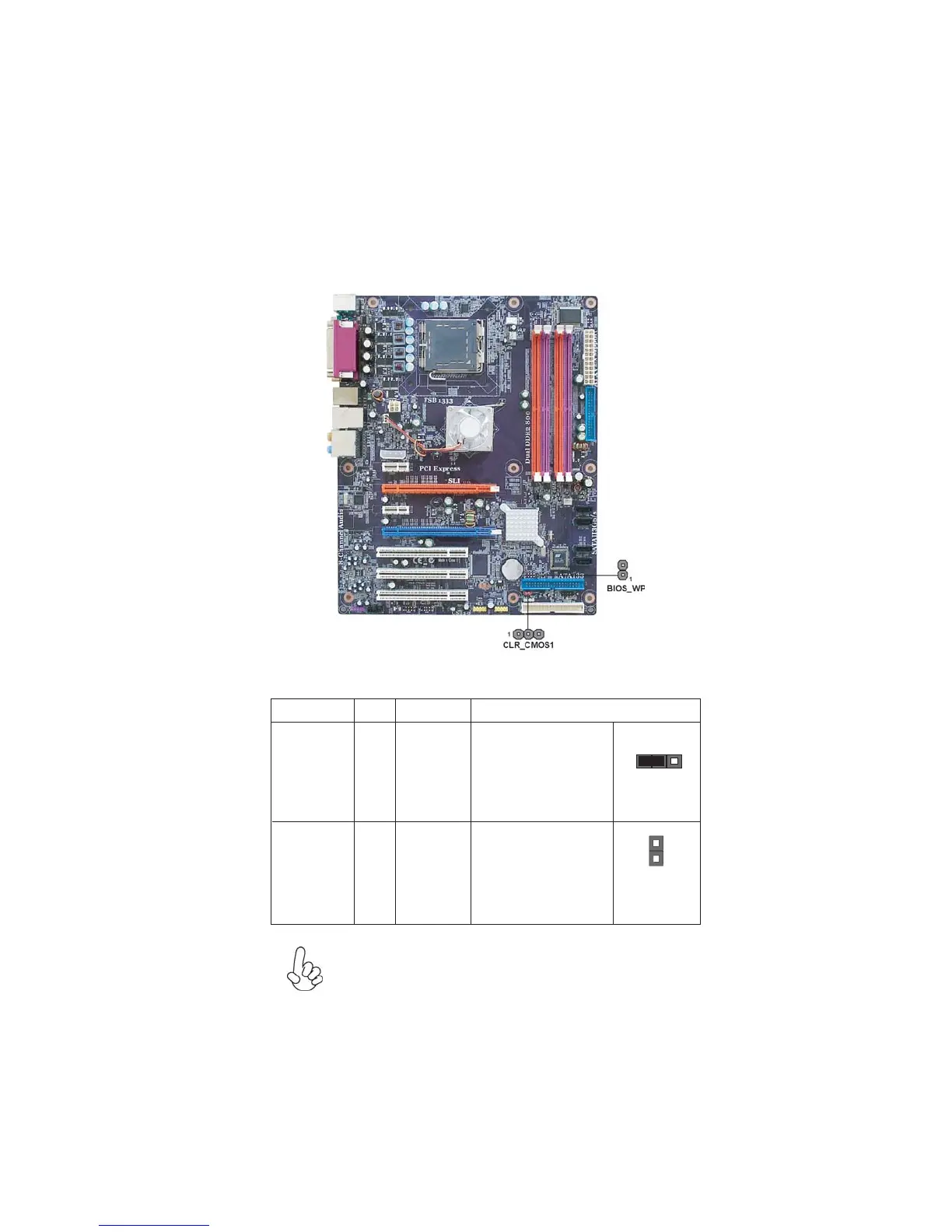
The following illustration shows the location of the motherboard jumpers. Pin 1 is
labeled.
Jumper Settings
To avoid the system instability after clearing CMOS, we recommend
users to enter the main BIOS setting page to “Load Optimized De-
faults” and then “Save & Exit Setup”.
Jumper
Type
Description Setting (default)
CLR_CMOS1
3-pin
Clear CMOS
1-2: NORMAL
2-3: CLEAR CMOS
Before clearing the
CMOS, make sure to
turn off the system.
BIOS_WP
2-pin
1
CLR_CMOS1
BIOS_WP
PROTECT
FLASH
1
OPEN: WRITE
UNPROTECT
SHORT: WRITE PRO-
TECT



 To Next Page