DIGITAL ECU TUNER 3 – User Manual
Tables Configuration
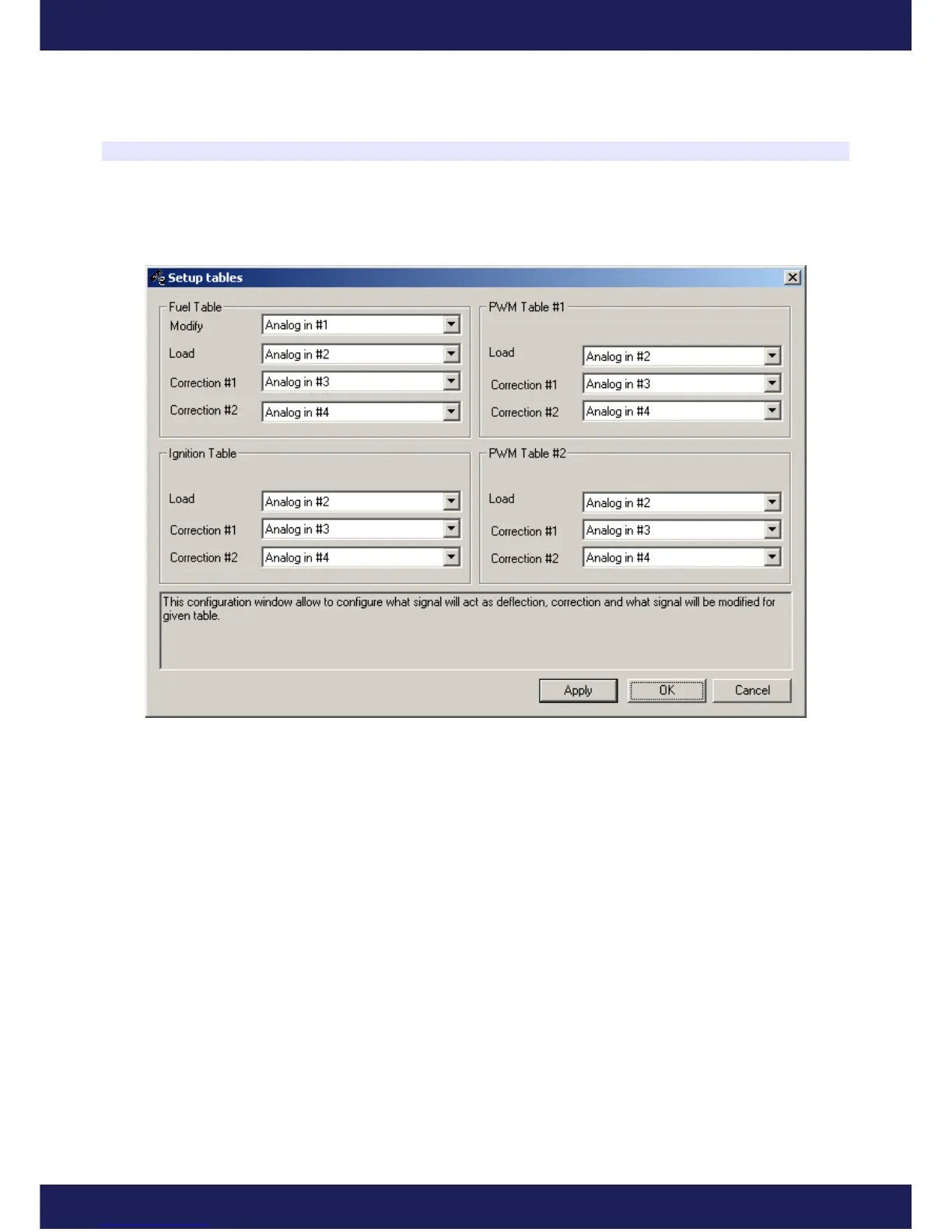
For every map, it is important to define, which input signals will be modified and which signals will be used as
Load for the main map as well as for the corrections.
To enter Tables configurations, choose Setup tables from the menu Setup…
The modified signal for the Fuel Table can be chosen among Analog#1-Analog#4, Frequency and Zero.
Depending on the kind of a sensor (analog, frequency), a proper input can be chosen. Zero means that the value of
a modified input signal will be 0. This option is used for the MAF to MAP conversion.
.
For the Load, it is possible to choose all analog inputs and frequency input. For the correction maps, apart from the
choices mentioned above, there is also a Disable option, which switches the correction off.
Page 13
www.ecumaster.com


 To Next Page