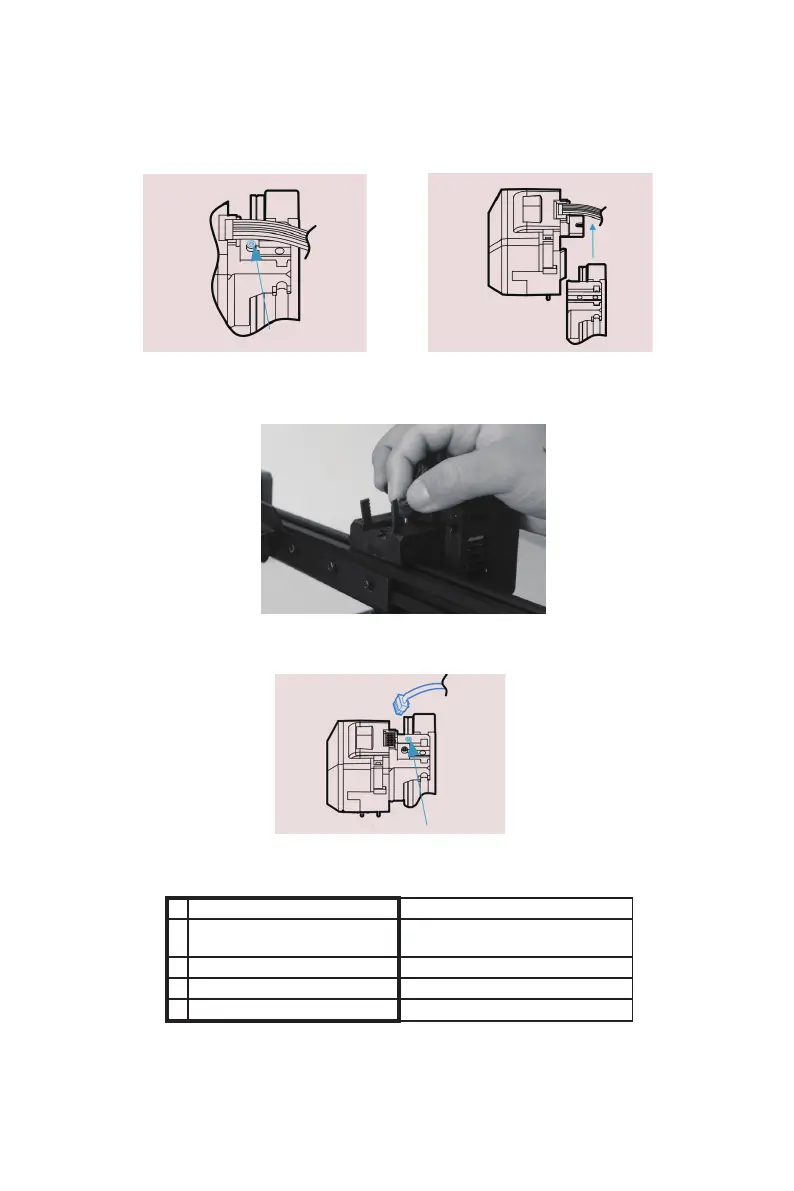
(3)Loosen the toolhead mounting screw, remove the original toolhead
upward, and keep the cable connected.
(4)Install the new toolhead and lock the tool head with the screw you
just removed.
(6)Power off . Remove the cable from the original toolhead and insert
the cable into the new toolhead.
(7)Power on . The Laser toolhead firmware is displayed on the screen
menu.
EcubMaker TOYDIY
Laser 3D Printer Current firmware toolhead
type
Laser Print Guide
Utility
*Tips : If the screen menu does not display the correct function header.
Please perform this step (2) again and switch the power again.
Change Toolhead
--------------------------------------------------------------------------------------------------------------------------------------------
---------------------------------------------------------------------------------------------------------------------------------------
--------
21
B EcubMaker TOYDIY basic setup and installation



 To Next Page