FDM function demonstration
--------------------------------------------------------------------------------------------------------------------------------------------
22
------------------------------------------------------------------------------------------------------------------------------------------
--------
B EcubMaker TOYDIY basic setup and installation
*Tips : The initial position of the filament front must be placed in
right place, otherwise it will cause the toolhead plug or printing
failure.
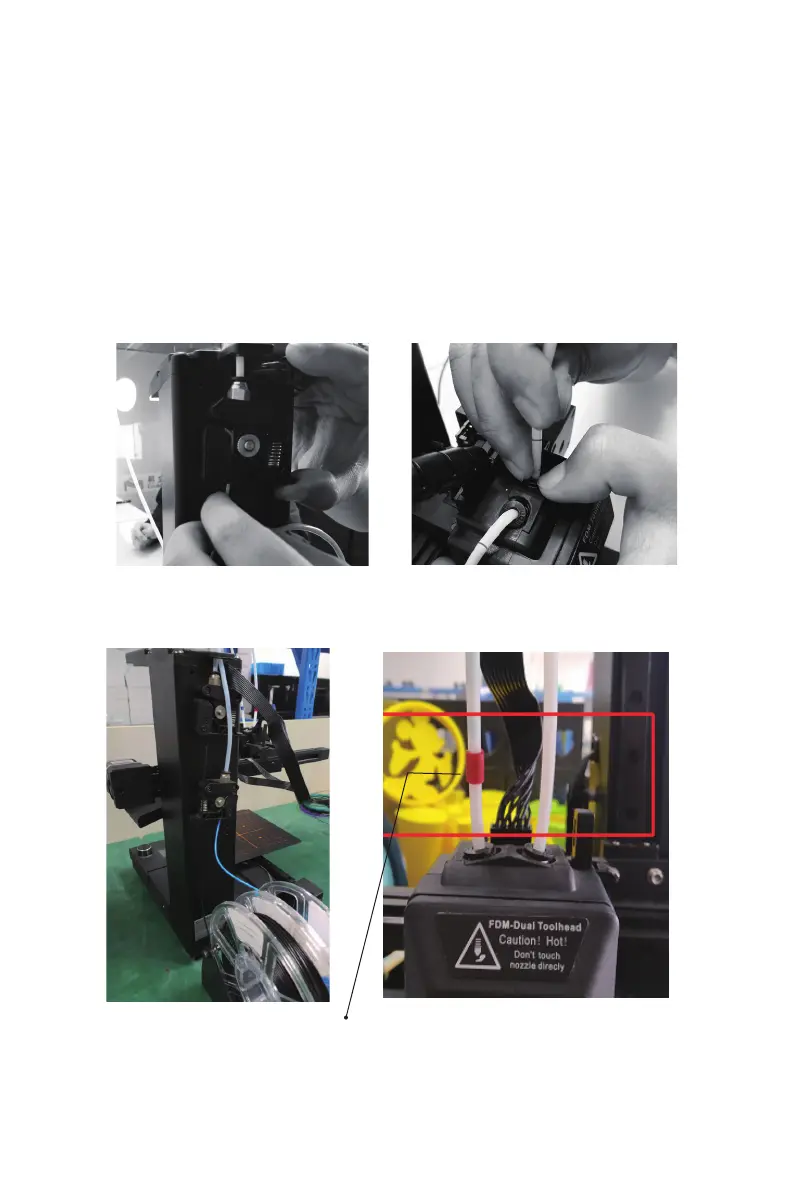
2.Install filament tube and filament
(1)Insert filament tube into the interface between the extruder and the FDM
toolhead.make sure forced into the bottom, otherwise it will cause a plug。
(The white PTFE tube comes from the Extruder can be inserted into the both
toolhead's hole for Printing. )
1.Right way to change FDM toolheader and firmware
Both FDM single printing and FDM two-color printing functions are
completed by FDM-dual toolhead (FDM 3D Printer firmware). Because
the two functions are basically the same.Therefore, this chapter only
shows the function of FDM printing.
(2)Unpack two PLA filaments and place two filaments on the filament
support,Insert the filament into the tube of the extruder(filament reach
the red box below).



 To Next Page