FDM function demonstration
--------------------------------------------------------------------------------------------------------------------------------------------
------------------------------------------------------------------------------------------------------------------------------------------
--------
23
B EcubMaker TOYDIY basic setup and installation
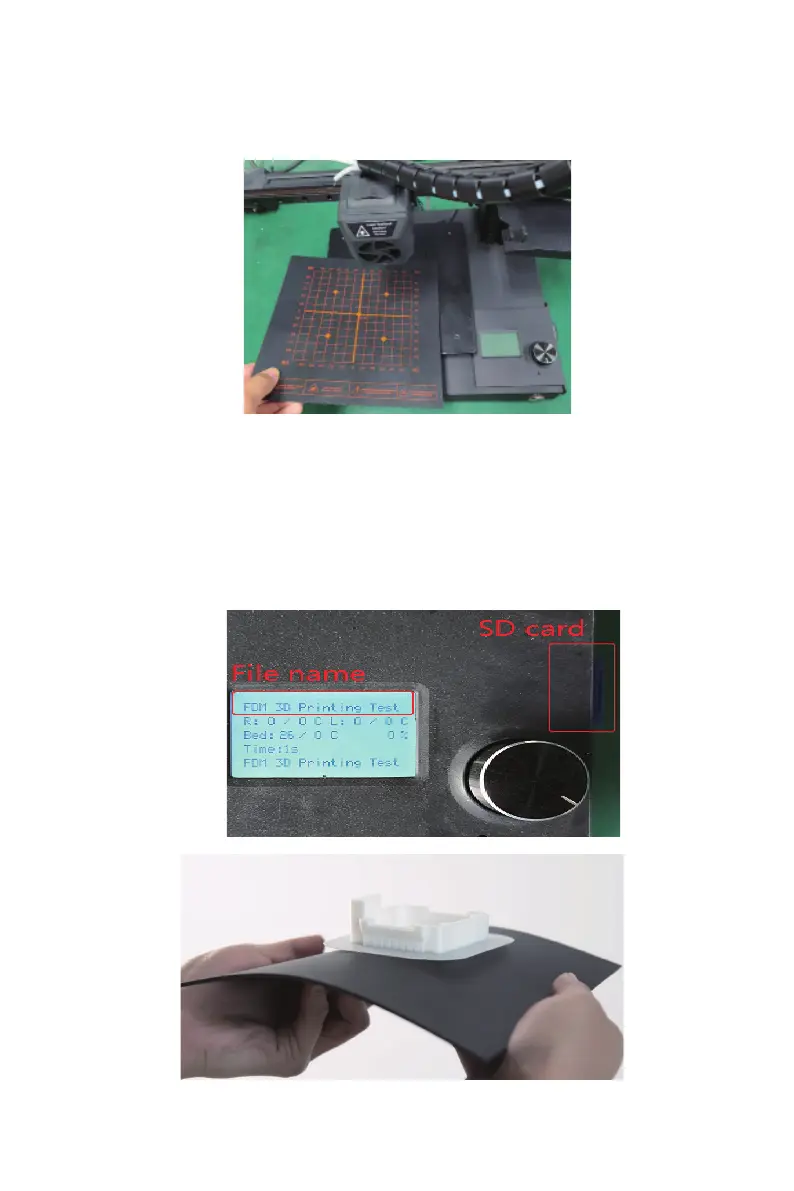
3.Place the Magnetic Platfrom
4.Print test modle
(1)insert SD card
(2)power on . Print from SD > FDM-Dual 3D Printing Test Modle.gcode,Select
the file and click print.
(3)Auto home-Nozzle heating-bed heating-Start Printing.
(4)Observe if the printing process is normal and wait for the printing to
complete.
(5)Remove the printing plate, bend the plate, and remove the model.



 To Next Page