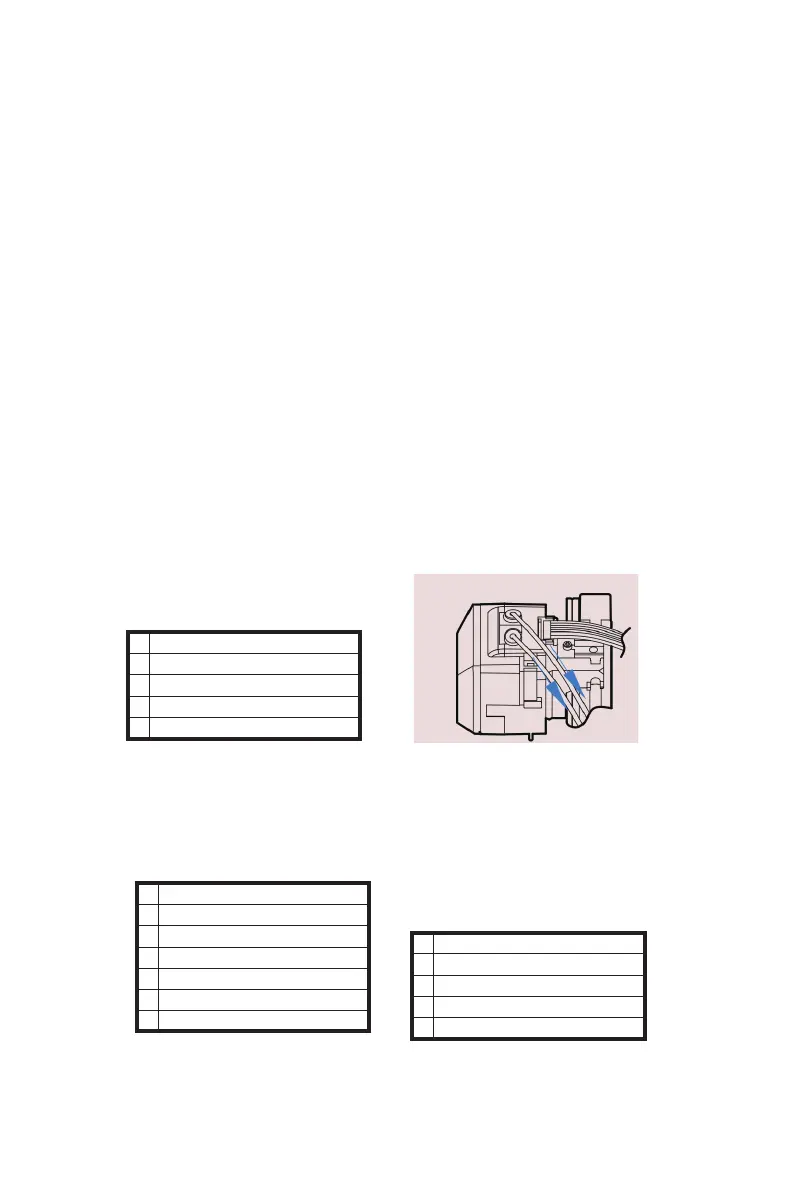
Back
Set Preheat Temp
Preheat
Load Filament
> Unload Filament
Back
Auto home
Move axis
Z Offset
> Change ToolHead
Restore Defaults
Printer info
Back
Change To FDM Header
> Change To Laser Header
Change To CNC Header
Current:FDM Header
Change Toolhead
--------------------------------------------------------------------------------------------------------------------------------------------
1.Learn 4in1
TOYDIY is 4in1 3D printer. The four functions (FDM printing/FDM-Dual printing
/Laser engraving /CNC engraving) are completed by three different tool heads
(FDM-dual toolhead /Laser toolhead /CNC toolhead) and three different
settings of firmware (different firmware will display FDM 3D Printer/Laser 3D
Printer/CNC 3D Printer respectively on the screen). Suppose-"A" toolhead is
installed but in the display menu it show the other firmware and settings.If you
work with different toolhead or firmware there is chance to damage the printer.
Users must be aware to know how to correctly and effectively change tool
heads and firmware functions.
Before switching toolhead Please keep in mind to change the finrware from
the menu according to below description.
------------------------------------------------------------------------------------------------------------------------------------------
--------
20
B EcubMaker TOYDIY basic setup and installation
2.How to change Toolhend
*Take "FDM-dual toolhead" change to "Laser toolhead" as an
example (similar to other types of toolhead changing).This step has
a very detailed video tutorial, it is recommended to read the manual
and then learn through video tutorial to deepen the impression.
(1)Power on TOYDIY,If filament are left in the toolheader, please enter
the Utility >Filament>Unload Filament , then pull the filament tube out
of the toolhead.
(2)Operation screen button,Utility > Change ToolHeader > Change
To Laser Header,look what appears on the screen and click to the last
step。
*Current:FDM Header means the current toolheader firmware type。



 To Next Page