1.Right way to change Laser toolheader and firmware
Laser engraving function is completed by the Laser toolhead and the
corresponding firmware. Therefore, the correct Laser toolhead and
firmware should be changed first before the next operation.The specific
changing method is not explained here.
Laser function demonstration
--------------------------------------------------------------------------------------------------------------------------------------------
25
------------------------------------------------------------------------------------------------------------------------------------------
EcubMaker TOYDIY
Laser 3D Printer
> Laser Print Guide
Utility
> Step1:Place Objects
Step2:Auto Home-Center
Step3:Laser Prescan
Step4:Set Origin
Step5:Print From SD
B EcubMaker TOYDIY basic setup and installation
--------
2.STEP
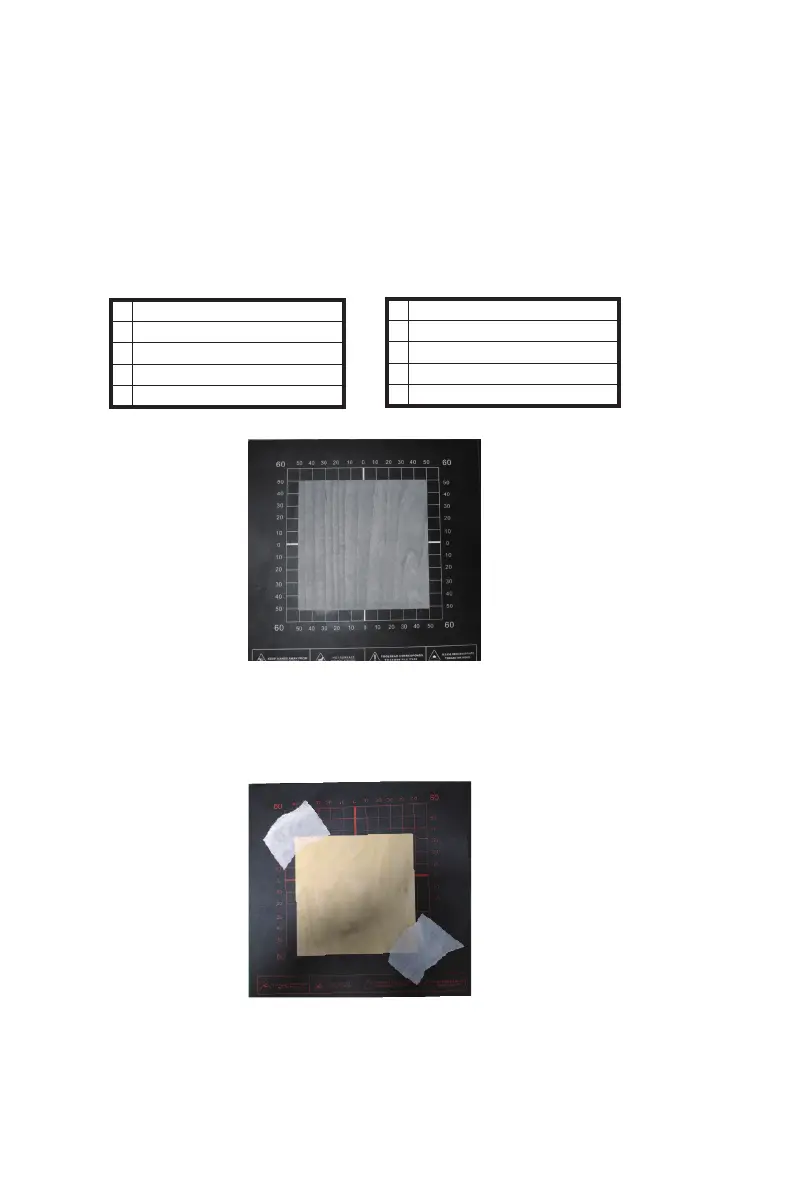
Use Laser Print Guide . .Please bring goggles and wood ,then insert SD card
(1)Step1:Place Objects
(2)Step2:Auto Home-Center. You will see the toolhead move to the Engraving
center。
(3)Step3:Laser Prescan。In this step you will see the toolhead move a cross line
over the material surface to allow you to determine if the material is centered.If
you feel the object is skewed, you can reposition it and then step3 again to see if
the position is not correct then fix the object
(4)Step4:Set Origin. Click Set Origin to save the current position as the center of
the print.
(5)Step5:Print From SD. select Laser Engraving Test Modle.gcode and print it.



 To Next Page