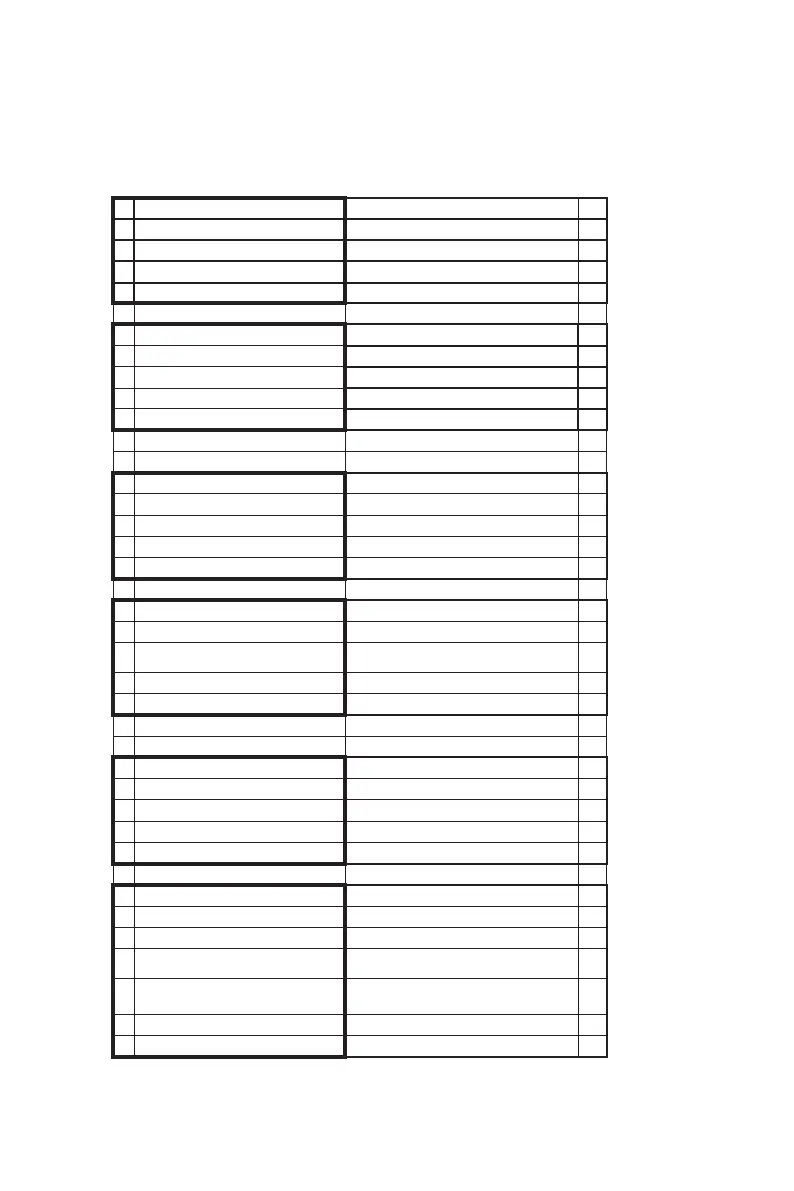
Menu Overview
------------------------------------------------------------------------------------------------------------------------------------------------
------------------------------------------------------------------------------------------------------------------------------------------
--------
17
B EcubMaker TOYDIY basic setup and installation
1.The menu of TOYDIY-FDM Function
EcubMaker TOYDIY
Explanation
FDM 3D Printer Current toolhead type
> Print Form SD
Filament
Utility
Back
Go to previous menu
> FDM TEST.gcode Select file print
FDM-Dual TEST.gcode
Laser TEST.gcode
CNC TEST.gcode
EcubMaker TOYDIY
FDM 3D Printer
Print Form SD
> Filament
Utility
Back
> Set Preheat Temp
Manual temp to Load filament
Preheat
Load the filament according
Preheat temp
Load Filament Automatic Load filament
Unload Filament
Unload the filament or change it
EcubMaker TOYDIY
FDM 3D Printer
Print Form SD
Filament
> Utility
Back
Auto home Auto home for auto levelling
Move axis Move axis menually
Z Offset
Set the correct distance nozzle to
platfrom
Change ToolHead
Change current toolhed to other
one
Restore Defaults
Restore the factory reset menu
Printer info
Firmware and other details



 To Next Page