C
EcubWare installation and instructions
---------------------------------------------------------------------------------------------------------------------------------------
--------
59
--------------------------------------------------------------------------------------------------------------------------------------------------------------------------------------------------------------------------------------------------------------------------------
EcubWare Setting
--------------------------------------------------------------------------------------------------------------------------------------------
1
.File Import button. Vector graph supports opening "*. SVG", "DXF". Bitmap les support "*.
JPG", "*. JPEG" *. BMP "," *. GIF "," *. PNG ".
2
.Create a drawing. You can create text and simple shapes.
3
.Zoom the drawing. If x and y are greater than 180mm and out of the range of the platform,
the graphic size displays a red warning.
4
.Rotate the shape. It supports 90 ° clockwise, 90 ° anticlockwise, ip, horizontal mirror and
vertical mirror.
5
.Parameter settings. Set the engraving speed, engraving depth and Z lifting height during
idling. After setting, restart the software to take effect. The carving speed affects the carving
effect. The carving speed of different carving materials can be set differently. Generally, the
smaller, the better,
but the longer the carving time.
6
.For the display of empty path, this option must be checked when importing and saving the
drawing, otherwise the engraving will be inaccurate.
7
.Graphic display area. The preview area.
(3)
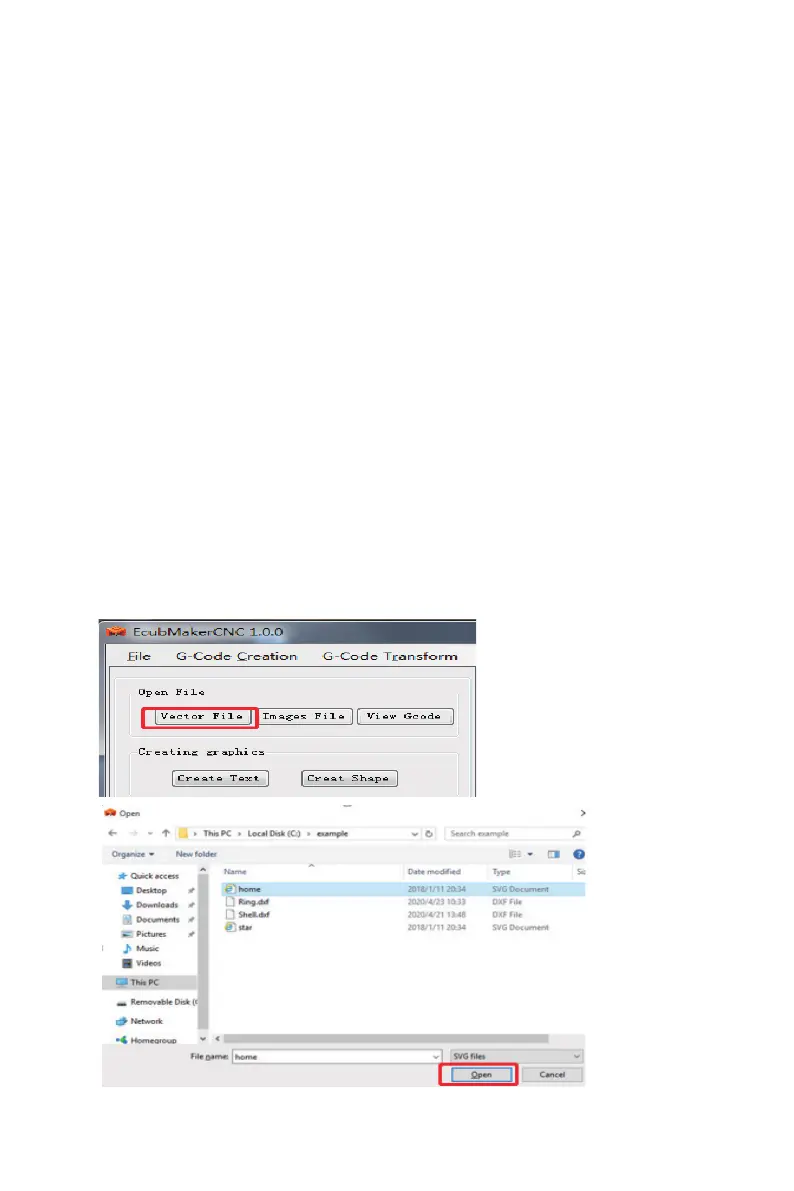
Import Vector
The supported vector graph formats are *. SVG and *. DXF, but not all supported vector
graphs can be opened. It is recommended to use *. DXF les.



 To Next Page