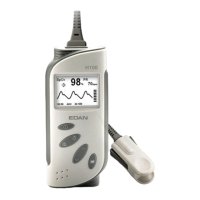
H10 Finger Oximeter User Manual
- 34 -
6 SpO
2
Functional Test
This test checks the function of the SpO
2
measurement.
Tools required: SpO
2
simulator (Provided
with a calibration curve approved by
EDAN).
Procedure:
1. Connect the device and the SpO
2
simulator.
2. Switch on the device and the
simulator.
3. Set the simulator to the following
configuration:
- SpO
2
= 85%.
4. Check the displayed SpO
2
value
against the simulator configuration.
The value should be 85% ±2%.



 To Next Page