Seite 10
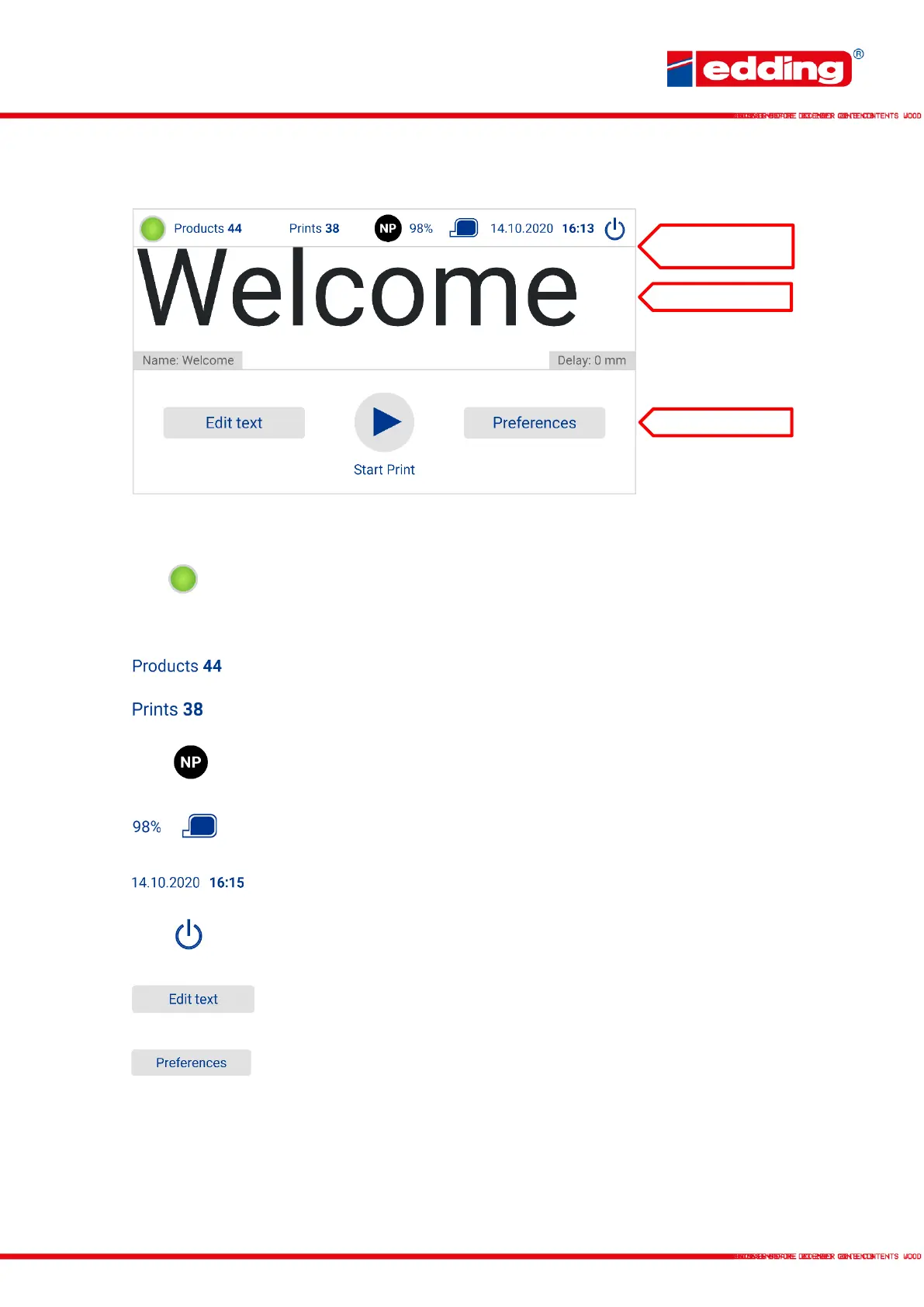
2.5 Main screen
Central control panel for all important print functions:
General print status: green when the printer is ready to print, yellow when
the ink level is low and red when there is an error and printing is
suspended. Clicking on this button will show further details on the ink and
the device.
Number of products recognised by the photocell.
Number of actual prints performed.
Type of ink cartridge currently used. Colour of the dot indicates the colour
of the ink.
Remaining volume of current cartridge in %. From <10% the warning “low
ink” is displayed on the status LED.
Actual date (dd/mm/yy) and time (hh:mm).
The printer can be shut down by pressing the button. Then disconnect the
main plug.
Press field to open the menu to create new text, edit existing text, and
select the text to be printed.
Press field to open the printer settings menu. This also includes step-by-
step graphic tutorials and settings wizards.



 To Next Page