O P E R A T I N G I N S T R U C T I O N S
INTRODUCTION PARTS DESCRIPTION INSTALLATION OPERATING INSTRUCTIONS INTERNET UPDATES APPENDIX
43
U S E R G U I D E
Display Background and MySt yle™
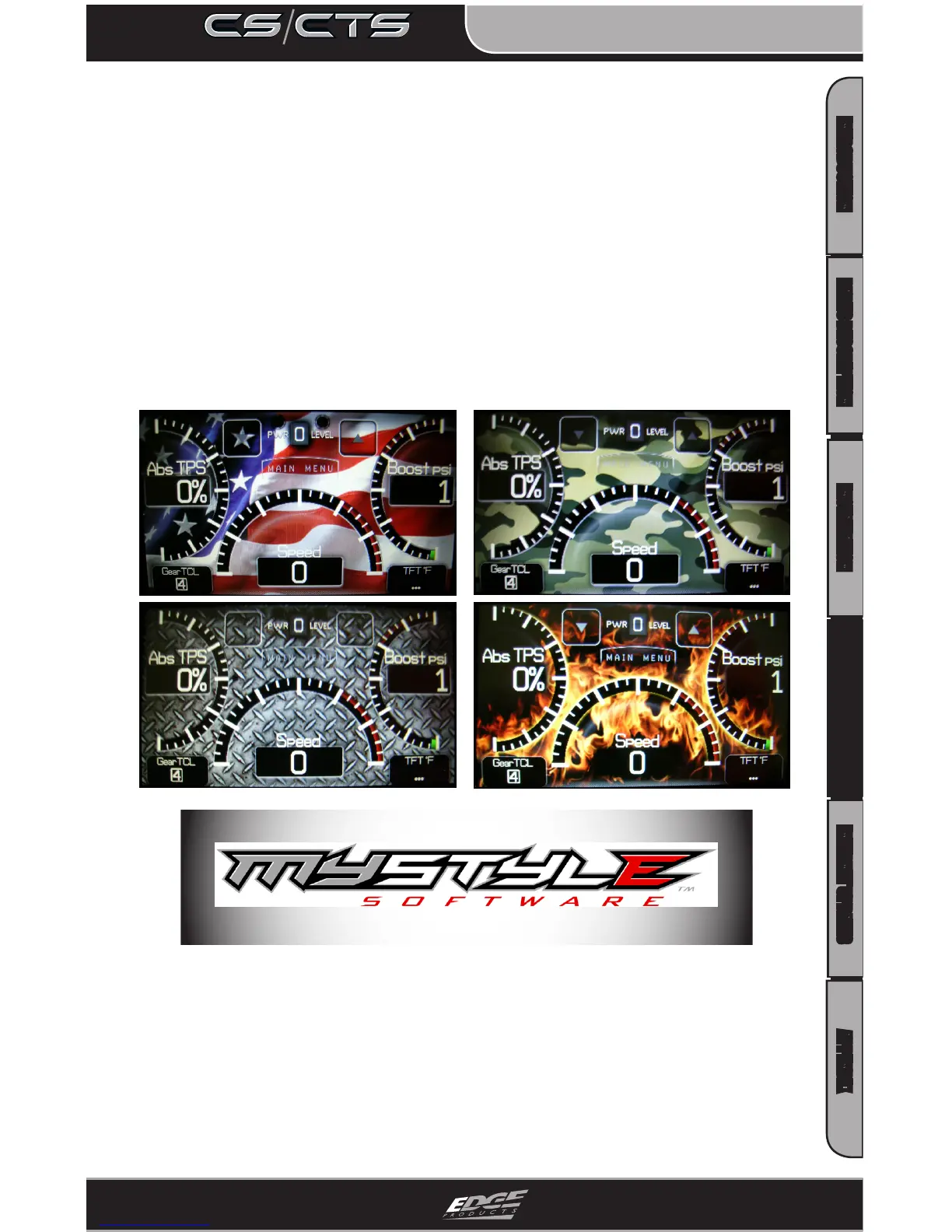
You may change your display screen background by selecting or
touching Options from the Main Menu. From the Options drop
down list, select Screen Layout and choose the Analog Gauge
Screen. When the Analog Gauge screen displays, you will have
the option to choose from 10 dierent screen backgrounds. Scroll
through options using the up/down arrows and then press enter or
touch the screen to select. Your CS/CTS screen is now ‘your’ style.
Following are some example backgrounds:
NEW: Create and add your own custom background using the
unique Edge Products MyStyle™ Software included with your CD or
download from the Edge Products website.
Your background is limited only by your imagination! Have a pic-
ture of your family, truck, pet or logo? ...easily add it by connecting
your device to your computer and use the MyStyle™ Software.


 To Next Page