INTRODUCTION PARTS DESCRIPTION INSTALLATION OPERATING INSTRUCTIONS INTERNET UPDATES APPENDIX
A P P E N D I X
56
U S E R G U I D E
Edge Accessories System (EAS)
A c c e s s o r i e s
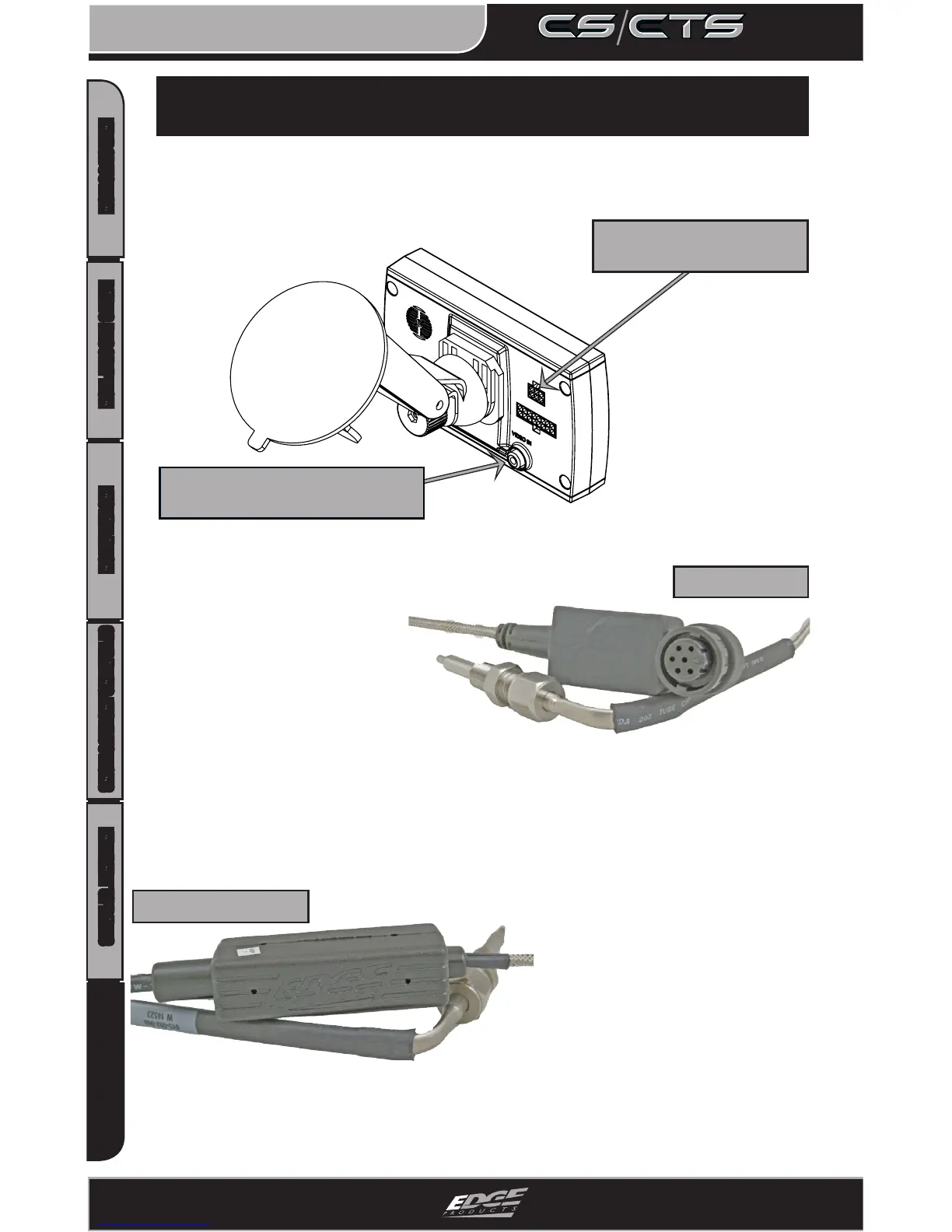
VIDEO-IN JACK (CTS ONLY)
ACCESSORY PORT
The CTS and CS devices are equipped with an expandable acces-
sories port which interfaces with the Edge Expandable Accessory
System (EAS), as well as a video-in jack.
The EAS is an accessory
network cable that trans-
mits data between the CS
or CTS and Edge Accessories.
With the EAS you can add multiple
accessories to the CS or CTS using a daisy-chain-
style connection system. An example of an EAS accessory is an EGT sen-
sor (shown above right). The EAS allows you to expand and grow your
product in the future.
If you’re not interested in an expandable
system, use the standard Edge
EGT probe (shown left). The
standard EGT probe is not
expandable with future
accessories.
To view or purchase EDGE accessories visit
WWW.EDGEPRODUCTS.COM or contact your local
EDGE PRODUCTS AUTHORIZED MVP DEALER
Standard EGT Probe
EAS EGT Probe



 To Next Page