TABLE OF CONTENTS INTRODUCTION INSTALLATION OPERATING INSTRUCTIONS APPENDIX
OBDII PORT
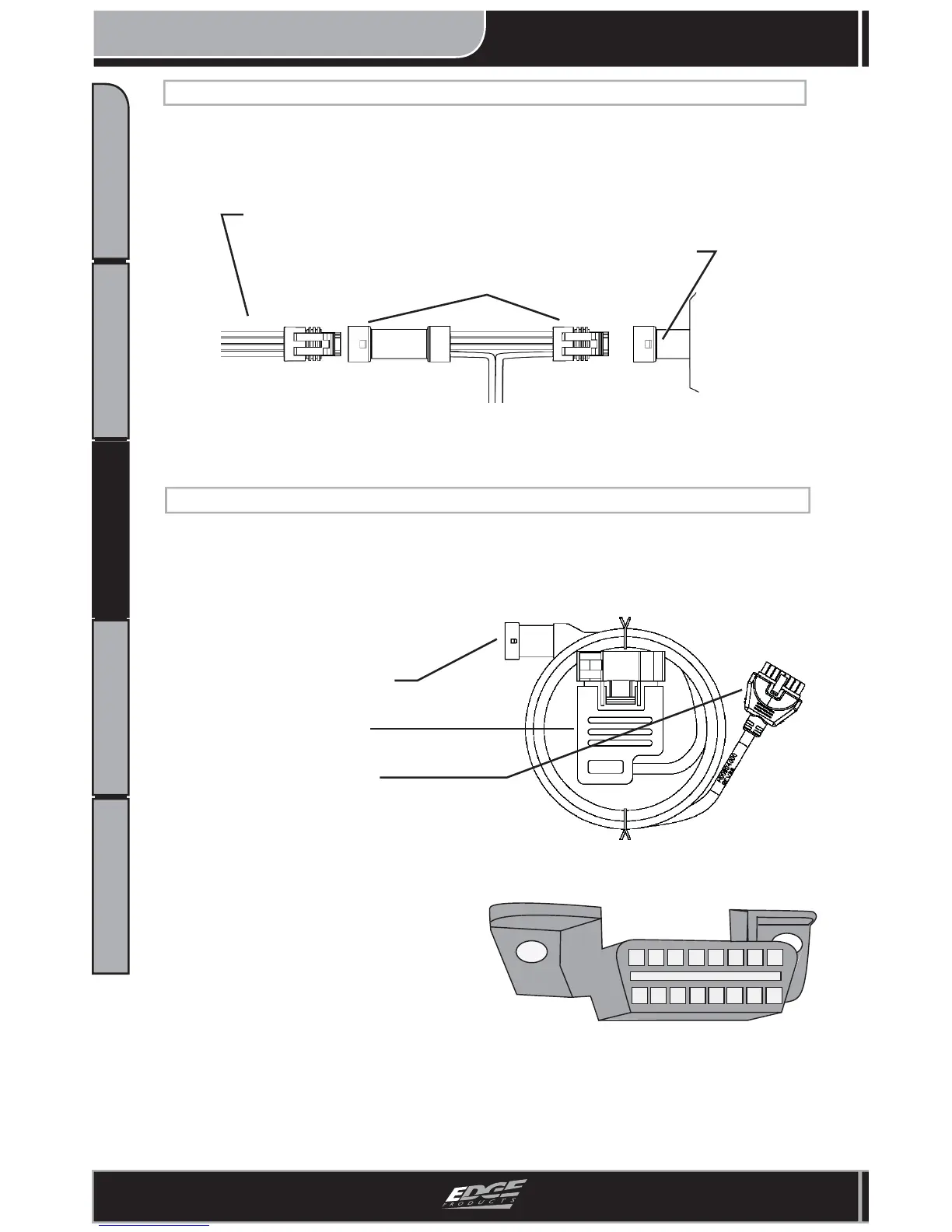
Figure 9
2. Locate the OBDII port underneath
your dash. (Figure 9)
3. Plug the Edge supplied “DATA/OB-
DII” cable into the OBDII port.
4. Route the “DATA/OBDII” Data Link
Connector out the rubber grommet as
shown in Figure 10.
NOTE: The Attitude cable will later be
routed and installed.
Data Link Connector
OBDII Connector
Attitude Connector
Figure 8 - DATA/OBDII Cable
5. Plug the routed Data Link connector from the “DATA/OBDII” cable into the
“Edge Main Harness” Data Link connector under the hood. (Figure 10)
1. Locate the “DATA/OBDII” cable provided in the box from Edge.
(see “Supplied Items”) NOTE: There are 3 different connectors on this one
cable. Refer to Figure 8 for more detail.
CONNECTING TO DATA LINK
1. Locate MAP connector. (Figure 6)
2. Remove vehicle MAP sensor connector and connect the Edge Harness MAP
connector “T” (see Figure 7) in between the vehicle harness and the sensor itself.
Figure 7 - “T” Assembly
Sensor (Engine Side)
Edge MAP Connectors
Engine Harness
CONNECTING TO MAP SENSOR (2006 - 2007 5.9L ONLY)


 To Next Page