6. OPERATIONS AND ILLUSTRATIONS V-65E-A
6-11
6.3.3 Description of settings and parameter
6.3.3.1 Turning parameter
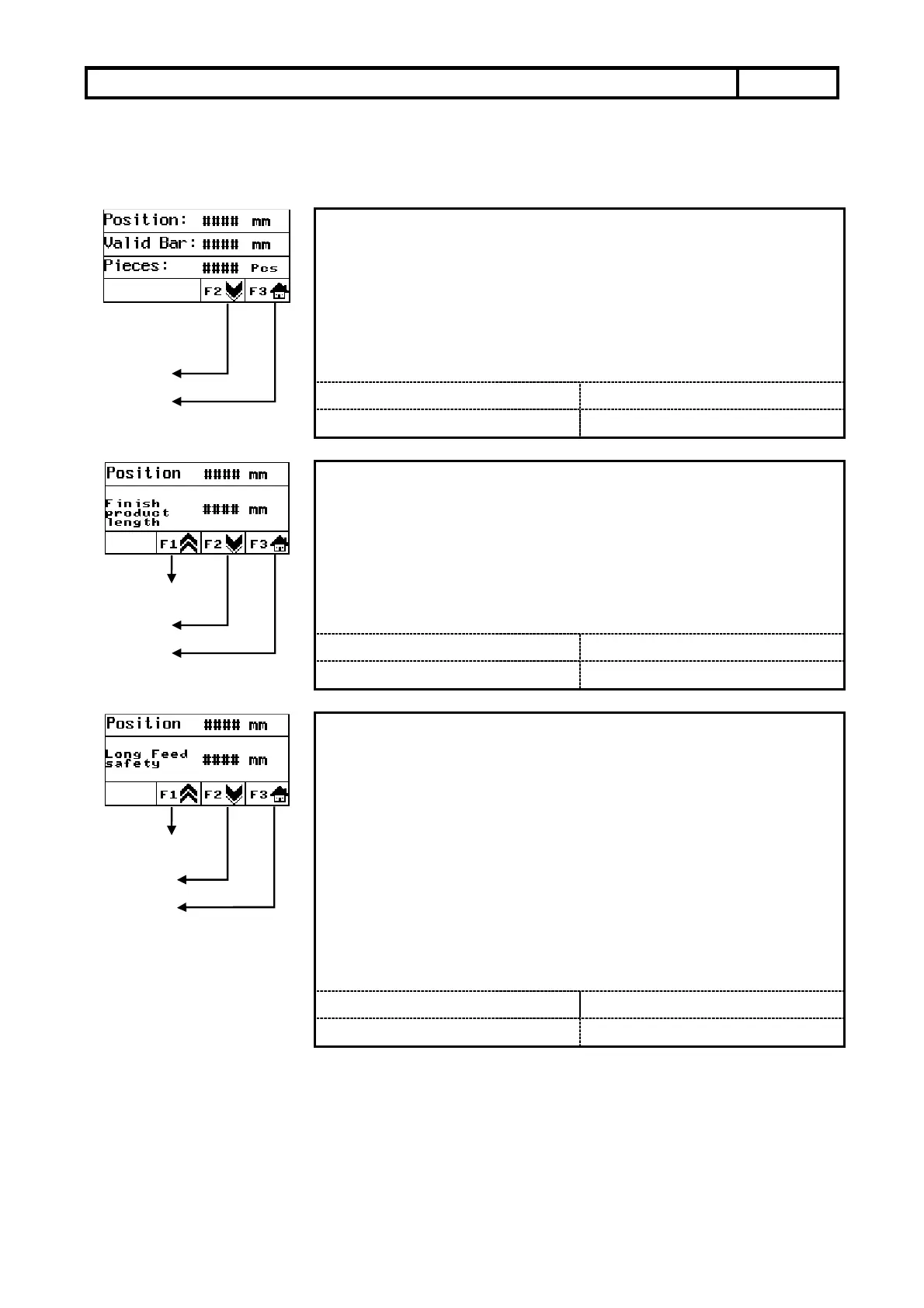
Parameter description:This monitor can watch present working status at
any time.
Watch item︰ 1︰Push bar present position.
2︰Remain effective working length of material.
3︰Remain to wait for working quantities of work
piece.
Next page
Home page
1.2M Generally value:
NO
Setting range :
NO
1.5M Generally value:
NO
Setting value :
NO
Parameter description:The finished product length will be the workpiece
length adding the cutter thickness. This
parameter setting may affect the bar end setting.
Setting method: Input the required length.
For example: Workpiece 47mm + thickness of cutter 3mm =
The finished product length 50mm. So we will
set finished product Length to be 50mm.
Previous page
Next page
Home page
1.2M Generally value:
Setting range :
0~500
1.5M Generally value:
Setting value :
Parameter description︰This parameter setting will let feed material more
stable and ensure the material to be sent to
request location. But if no need to use this
function that you can set it to be “0” directly.
Setting method︰ This parameter will be finished product length to
add 5 mm automatically after finished product
length setting. This parameter can also be set
finished product length to add tolerance.
Ex︰ Finished product length + Tolerance = Long feed
safety.
Refer to figure 1︰
Previous page
Next page
Home page
1.2M Generally value:
Setting range :
0~500
1.5M Generally value:
Setting value :


 To Next Page