EasyManua.ls Logo

Edgewater Networks EdgeMarc 2900e - User Manual

Edgewater Networks EdgeMarc 2900e
43 pages
Print Icon
To Next Page IconTo Next Page
Loading...
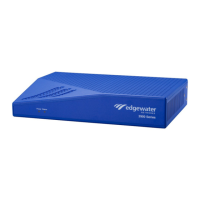
EdgeMarc 2900 Series
Hardware Installation Guide
U.S. Headquarters:
Edgewater Networks, Inc.
5225 Hellyer Ave., Suite 100
San Jose, California 95138
Phone: 408.351.7200
Fax: 408.727.6430
edgewaternetworks.com

Table of Contents

Other manuals for Edgewater Networks EdgeMarc 2900e

Question and Answer IconNeed help?

Do you have a question about the Edgewater Networks EdgeMarc 2900e and is the answer not in the manual?

Summary

About This Guide

Contact and Support Information

Provides contact details for Edgewater Networks headquarters, general inquiries, sales, and technical assistance.

EdgeMarc 2900 Series

Introduction

Introduces the EdgeMarc 2900 series as intelligent edge devices for SIP trunking and Unified Communications deployments.

Physical Installation

Installing the EdgeMarc 2900 series on a Desktop, Shelf, or Tray

Provides step-by-step instructions for placing the EdgeMarc 2900 series device on a flat surface like a desktop or shelf.

Installing the EdgeMarc 2900 series on a Wall

Provides step-by-step instructions for securely mounting the EdgeMarc 2900 series device onto a wall.

Installing the EdgeMarc 2900 series in a Rack

Provides instructions for installing the EdgeMarc 2900 series into a standard server rack, including mounting considerations.

Connecting the Power and Cables

Details the process of connecting the AC power adapter and network cables to the EdgeMarc 2900 series device.

Powering On the EdgeMarc 2900 series

Explains how to power on the EdgeMarc device and verify initial system status via front panel LEDs.

Configuring Basic Network Settings

Connecting to the EdgeMarc for the First Time

Guides the user through the initial network connection process to the EdgeMarc via its IP address and web interface.

Specifications, Safety, Compliance, and Certifications

Important Safety Instructions

Provides critical safety precautions for telephone equipment use, focusing on reducing risks of fire, electric shock, and injury.

Importantes Instructions de Securite

Provides essential safety precautions in French for telephone equipment use, focusing on fire, electric shock, and injury risks.

License and Warranty Information

EdgeMarc Limited Hardware Warranty

Details the terms and conditions of the five-year limited warranty provided by Edgewater Networks for its hardware products.

EdgeMarc Standard Limited Software Warranty

Outlines the specific terms and conditions applicable to the limited warranty for Edgewater Networks' software products.

Summary

About This Guide

Contact and Support Information

Provides contact details for Edgewater Networks headquarters, general inquiries, sales, and technical assistance.

EdgeMarc 2900 Series

Introduction

Introduces the EdgeMarc 2900 series as intelligent edge devices for SIP trunking and Unified Communications deployments.

Physical Installation

Installing the EdgeMarc 2900 series on a Desktop, Shelf, or Tray

Provides step-by-step instructions for placing the EdgeMarc 2900 series device on a flat surface like a desktop or shelf.

Installing the EdgeMarc 2900 series on a Wall

Provides step-by-step instructions for securely mounting the EdgeMarc 2900 series device onto a wall.

Installing the EdgeMarc 2900 series in a Rack

Provides instructions for installing the EdgeMarc 2900 series into a standard server rack, including mounting considerations.

Connecting the Power and Cables

Details the process of connecting the AC power adapter and network cables to the EdgeMarc 2900 series device.

Powering On the EdgeMarc 2900 series

Explains how to power on the EdgeMarc device and verify initial system status via front panel LEDs.

Configuring Basic Network Settings

Connecting to the EdgeMarc for the First Time

Guides the user through the initial network connection process to the EdgeMarc via its IP address and web interface.

Specifications, Safety, Compliance, and Certifications

Important Safety Instructions

Provides critical safety precautions for telephone equipment use, focusing on reducing risks of fire, electric shock, and injury.

Importantes Instructions de Securite

Provides essential safety precautions in French for telephone equipment use, focusing on fire, electric shock, and injury risks.

License and Warranty Information

EdgeMarc Limited Hardware Warranty

Details the terms and conditions of the five-year limited warranty provided by Edgewater Networks for its hardware products.

EdgeMarc Standard Limited Software Warranty

Outlines the specific terms and conditions applicable to the limited warranty for Edgewater Networks' software products.

Edgewater Networks EdgeMarc 2900e Specifications

General IconGeneral
ModelEdgeMarc 2900e
Form FactorDesktop
FXS Ports2
Humidity10% to 90% non-condensing
VoIP ProtocolsSIP, H.323
Power SupplyExternal AC adapter
Operating Temperature32°F to 104°F (0°C to 40°C)
Storage Temperature-4°F to 158°F (-20°C to 70°C)
CertificationsFCC, CE
LAN Interface4 x 10/100/1000Base-T Ethernet