4
Physical Installation
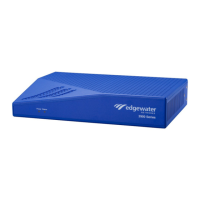
The following sections describe how to install the EdgeMarc 2900 series
hardware:
Overview
EdgeMarc 2900 series Appliance Shipping Contents
Required Tools and Materials
Installing the EdgeMarc 2900 series on a Desktop, Shelf, or Tray
Installing the EdgeMarc 2900 series on a Wall
Installing the EdgeMarc 2900 series in a Rack
Mount the device with the front panel placed horizontally facing up or down
on the wall.
Connecting the Power and Cables
Overview
The EdgeMarc 2900 series appliance is designed for desktop, wall, shelf, tray,
or rack installation. Observe the following guidelines when installing the
system:
Always verify that the AC power cord is disconnected from a power source
prior to installation.
Do not stack multiple units on top of each other as this can cause
overheating.
Ensure that the installation site has adequate air circulation and meets the
minimum operating conditions for the system as specified in Safety,
Compliance, and Certifications.
© 2017 Edgewater Networks. All Rights Reserved. 21


 To Next Page