Physical Installation
Required Tools and Materials
You will need the following tools and materials to install the EdgeMarc:
(1) Flat or Phillips Screwdriver—For wall or shelf mounting.
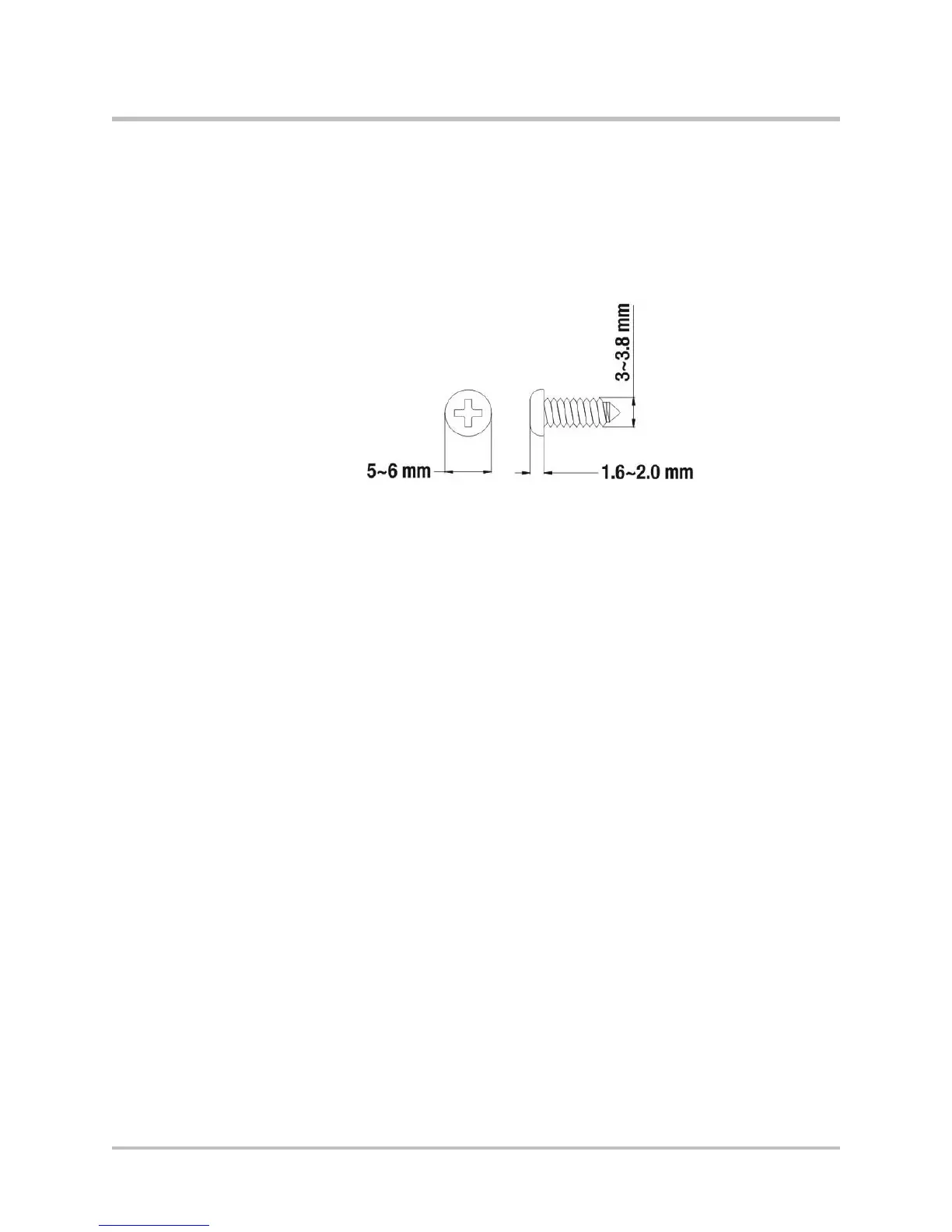
(2) Flat or round-head Phillips or slotted screws—1 ½ inch long for wall
mounting, as shown below.
(2) Hollow wall anchors—For wall mounting.
Ethernet cables—To connect the LAN ports to LAN switches or to individual
VoIP devices.
Power Surge Protection
EdgeMarc units are designed with a robust internal surge protection system.
Installing the EdgeMarc 2900 series on a
Desktop, Shelf, or Tray
1.
Remove the EdgeMarc device and accessories from the shipping container.
2.
Place the device on a flat, dry surface such as a desktop, shelf, or tray.
Installing the EdgeMarc 2900 series on a Wall
Mount the EdgeMarc on a wall using the two mounting brackets on the bottom
of the appliance. We recommend that you use two round or pan head screws.
1.
Install two screws 5.9063” (150 mm) horizontally apart on a wall or other
vertical surface. The screws should protrude from the wall so that you can
fit the appliance between the head of the screw and the wall, as shown
below.
© 2017 Edgewater Networks. All Rights Reserved. 23


 To Next Page