8
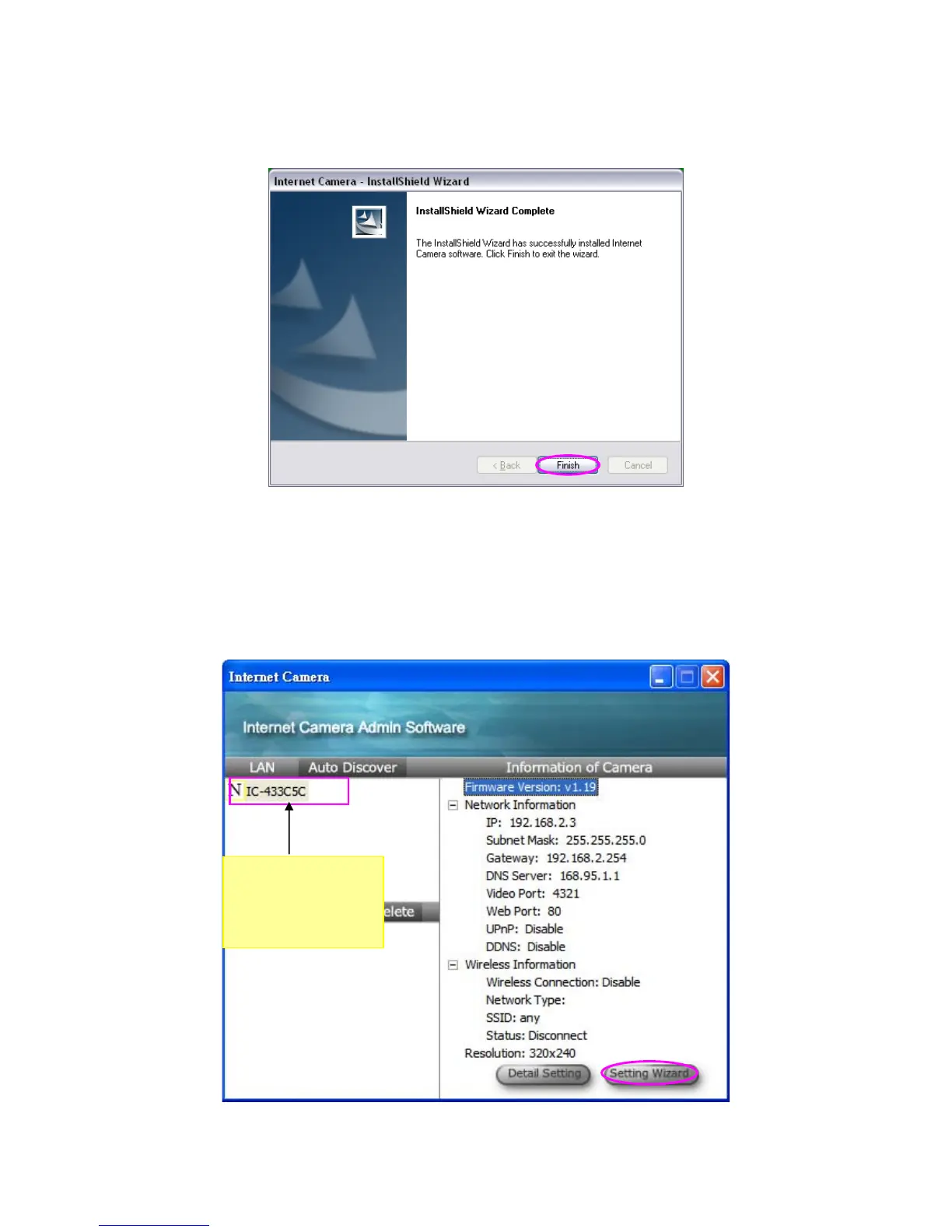
7. Click “Finish” to complete the software installation.
8. ”Administrator Utility“will be run automatically after installation. On the Internet Camera
first page, the cameras found in the network are listed in the left window. Choose the one
you want to configure and click “Setting Wizard” to precede.
If the camera is new and is not configured with your network, please go to next section
“8 Network configurations” to set up the configuration
“N” means the
camera is new and
not configured.



 To Next Page