62
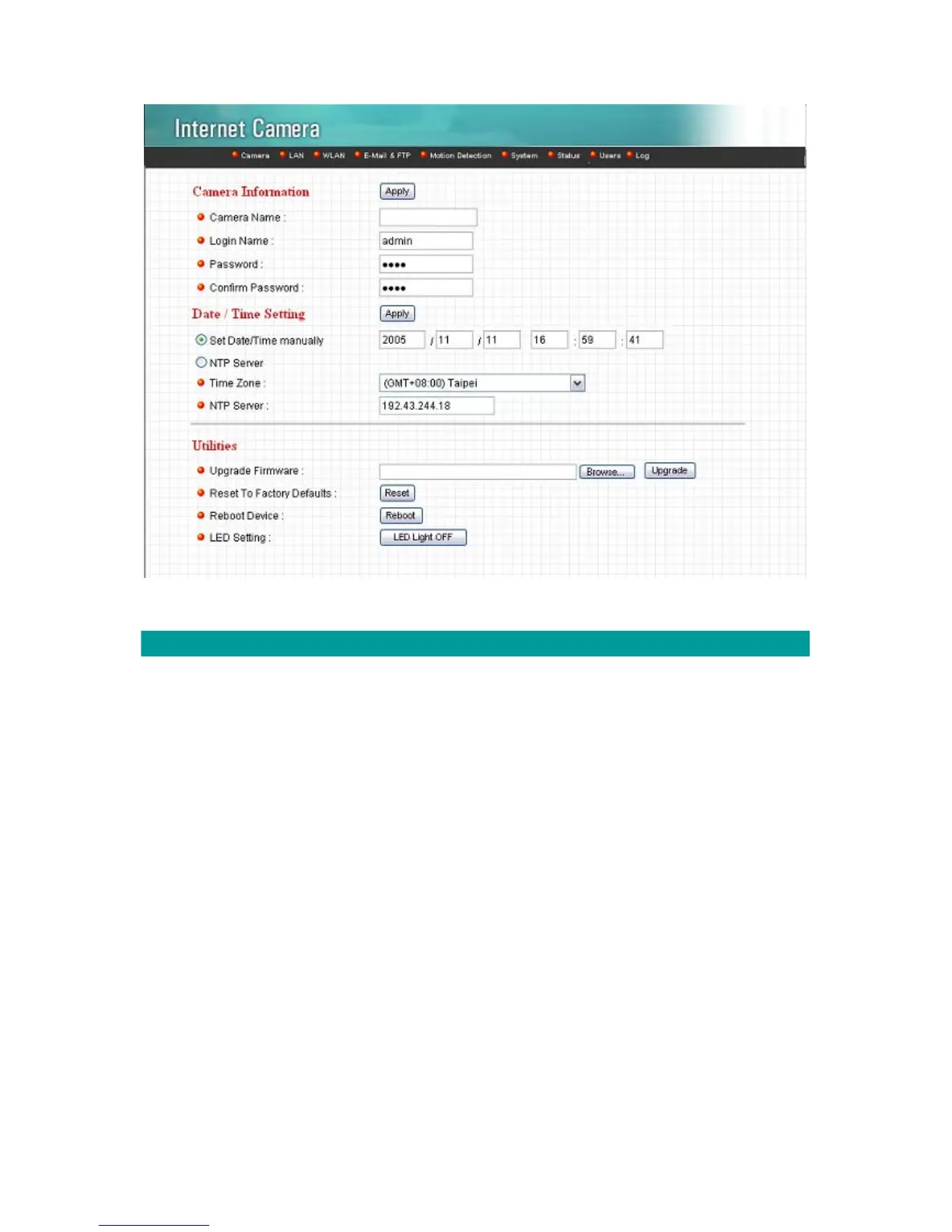
System
Camera Name The default camera name is “IC1500”. It is recommended to
name a meaningful name for the camera.
Login Name Setup your administrator account’s login name. Default name is
“admin”
Password
Enter up to 4 digits password for the new user account.
Confirm Password
Enter the password again to confirm the setting.
Set Date/Time manually Display the current Date and Time.
NTP Server Synchronize the Date and Time with this NTP server.
Time Zone Select the time zone that your camera put on.
NTP Server Specify the IP Address of the NTP Server.



 To Next Page