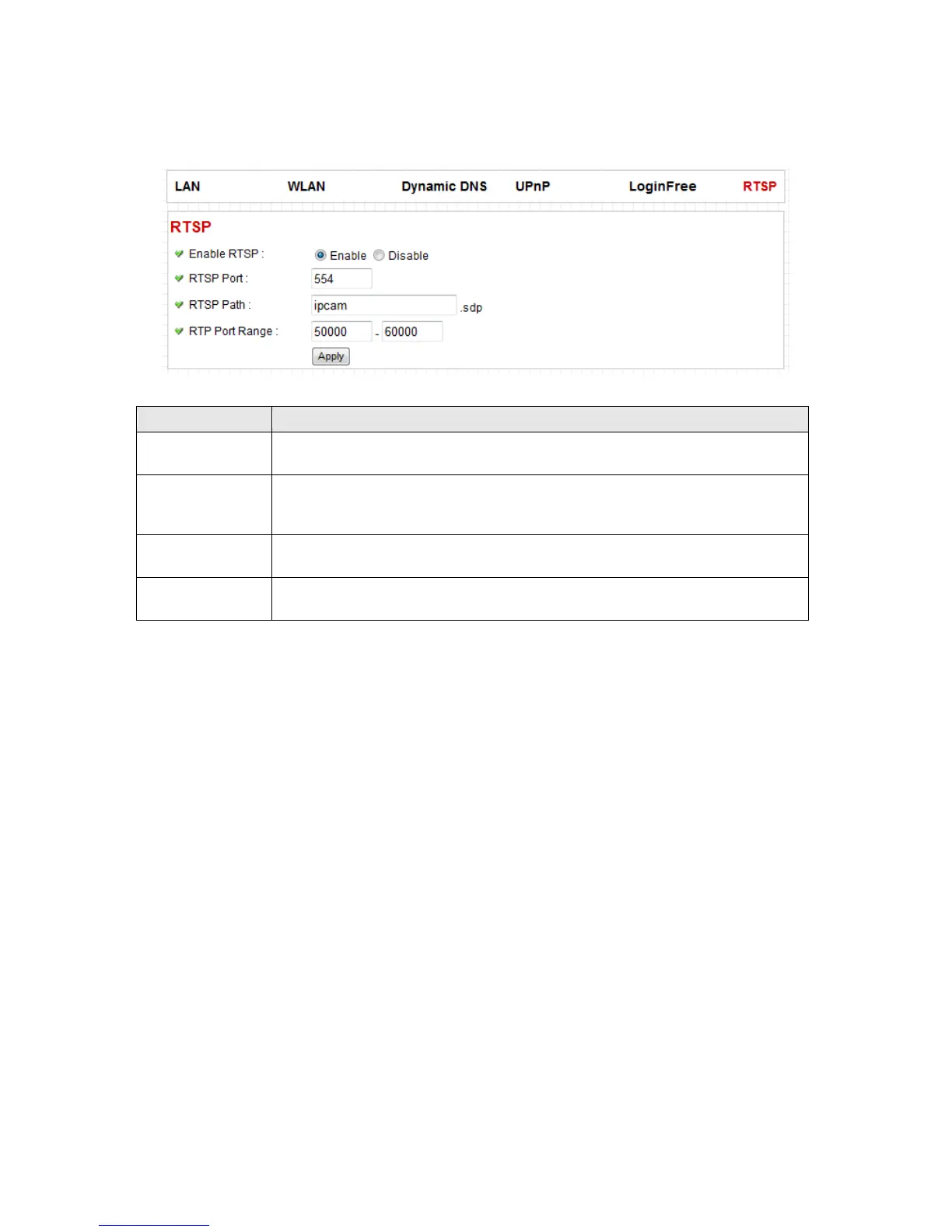
Enable RTSP
You can select ‘Enable’ when you wish to use RTSP player to view video image
from camera.
RTSP Port
This option allows you to enter RTSP port. The default value of RTSP port is 554.
Please make sure the RTSP port applied on the RTSP player shall be same as
the RTSP port applied on the IP cam.
RTSP Path
You can input RTSP path here. Please make sure the RTSP path applied on the
RTSP player shall be same as the RTSP path applied on the IP cam.
RTSP Port Range


 To Next Page