EasyManua.ls Logo

Edimax IC-7000PT V2 - SD Card Configuration

Edimax IC-7000PT V2
78 pages
Print Icon
To Next Page IconTo Next Page
To Previous Page IconTo Previous Page
Loading...
41
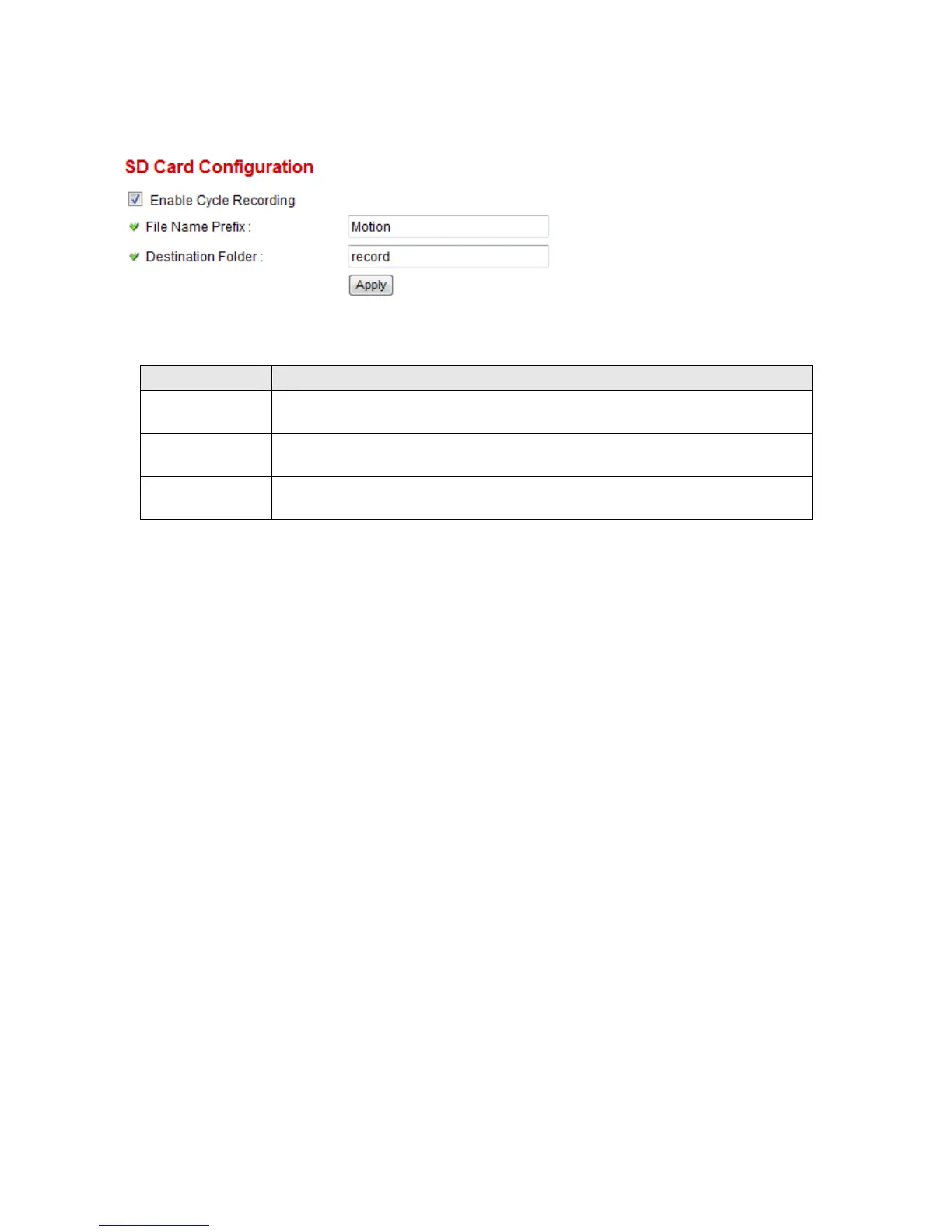
2.4.5 SD Card Configuration
You can define the filename and destination folder when saving a file in SD card.
The descriptions of every setting in this menu will be given below:
Item
Description
Cycle Recording
This option allows the IP cam to delete the oldest saved files when the capacity of
the SD card is full for saving the latest recorded image.
File Name Prefix
Specify the filename prefix (the texts which will be added before the file sequence
number).
Destination
Folder
Specify the folder name that camera will store the saved image or video clip.
Click ‘Apply’ to save settings and make the new settings take effect.