16
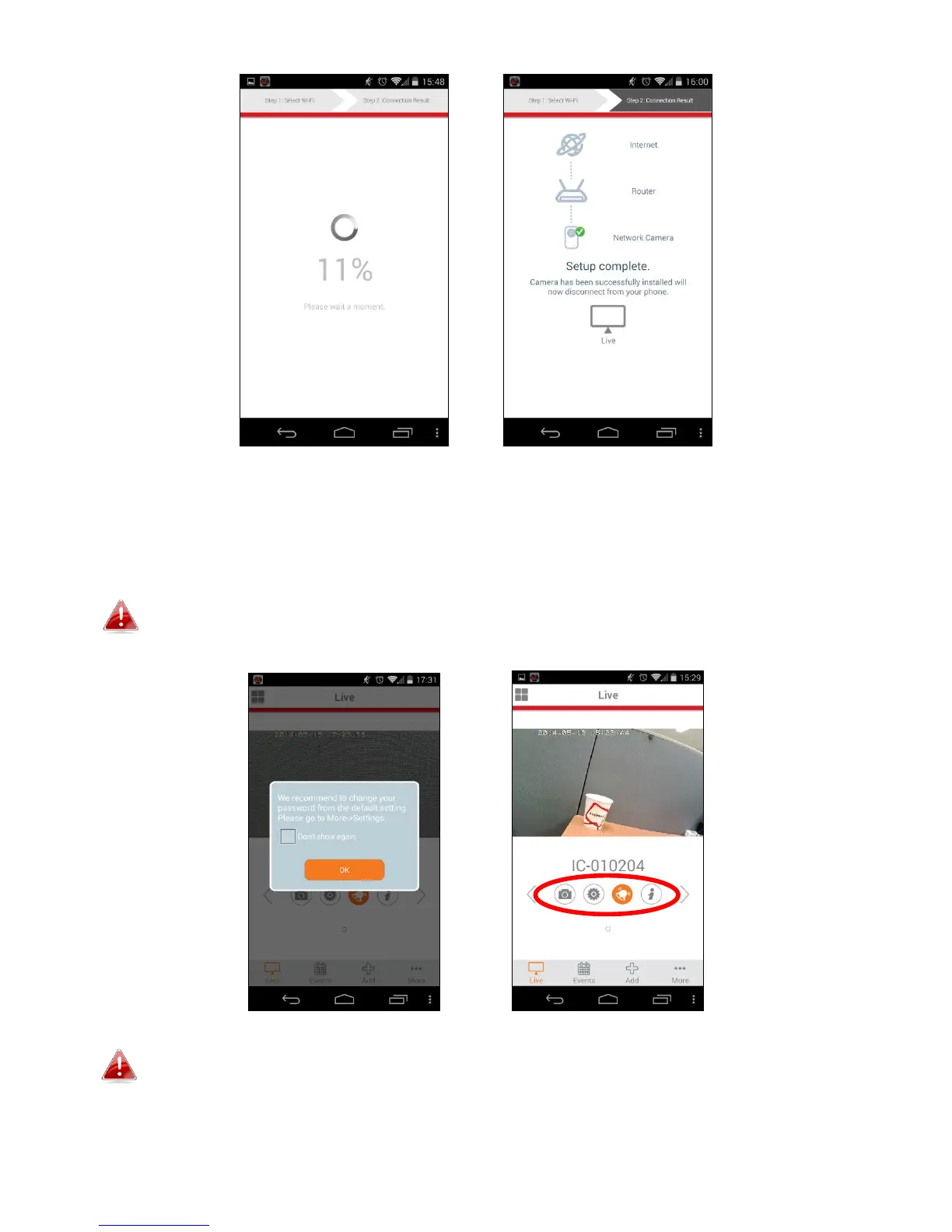
6. Setup is complete. The camera’s LED should display on and green. You
should see a live stream from your network camera which you can view
anytime you are connected to the Internet.
It is recommended that you change your camera’s password. Go to
“More” in the bottom right corner and select “Settings”.
You can configure your camera’s settings and functions using the icons
below the live image.



 To Next Page