80
IV-6. Pan & Tilt
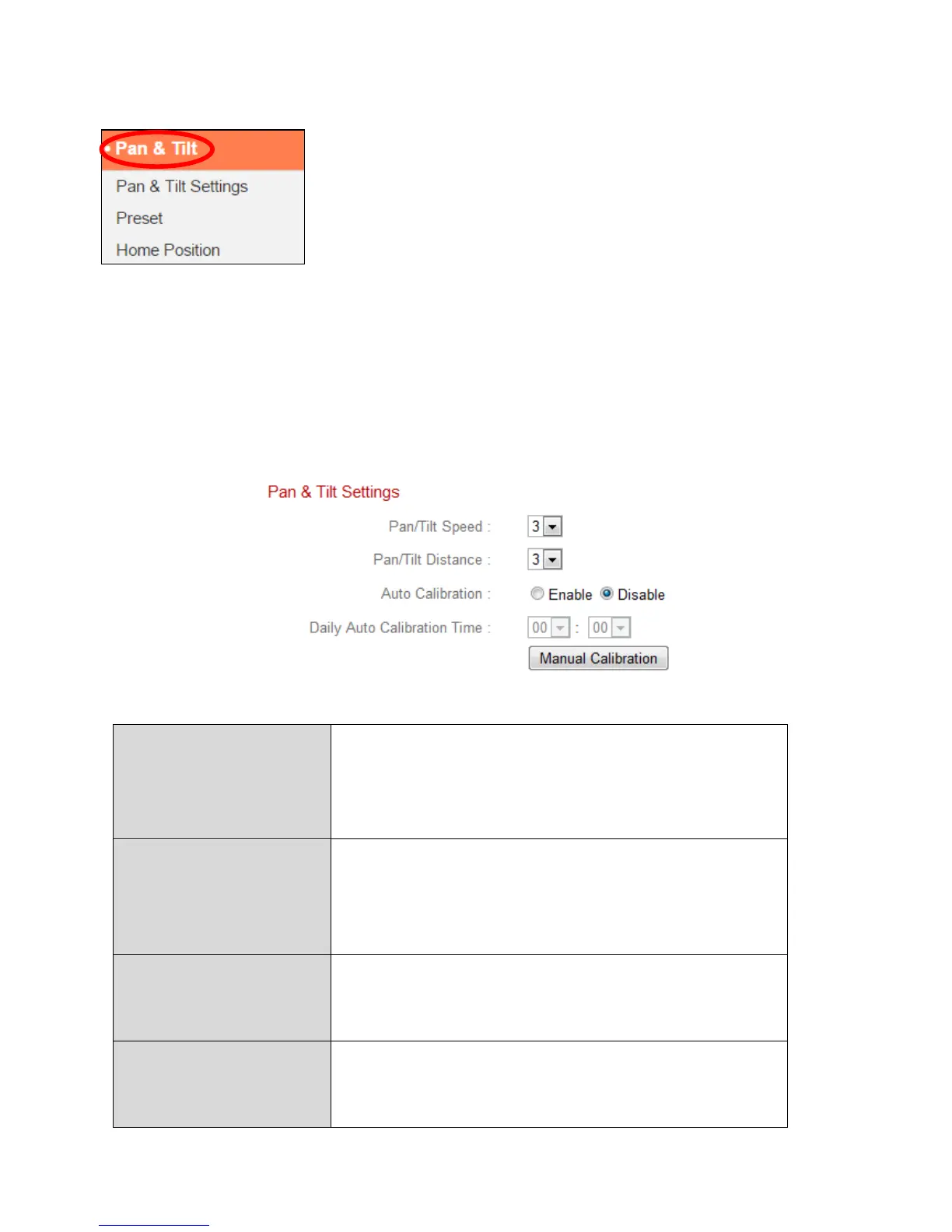
The network camera features pan and tilt capability
which can be configured using the “Pan & Tilt” menu.
Select a category from the submenu and refer to the
appropriate following chapter.
IV-6-1. Pan & Tilt Settings
Adjust the settings for your network camera’s pan/tilt function according to
your preference. You can adjust the pan/tilt speed, distance and auto-
calibration settings.
Select a pan/tilt speed from 1 (slowest) to 3
(fastest). This is the speed at which the
camera will move when you use the remote
control in “Live View”.
Select a pan/tilt distance from 1 (smallest) to
3 (largest). This is the distance which the
camera will move with each command when
you use the remote control in “Live View”.
Calibration is when the camera performs a
brief pan/tilt motion for self-maintanence.
Enable or disable auto-calibration.
Daily Auto
Calibration Time
Set the time at which the camera should
auto-calibrate each day, when auto-calibrate
is enabled (above). Auto-calibration takes a



 To Next Page