Click here to command the camera to
calibrate itself immediately.
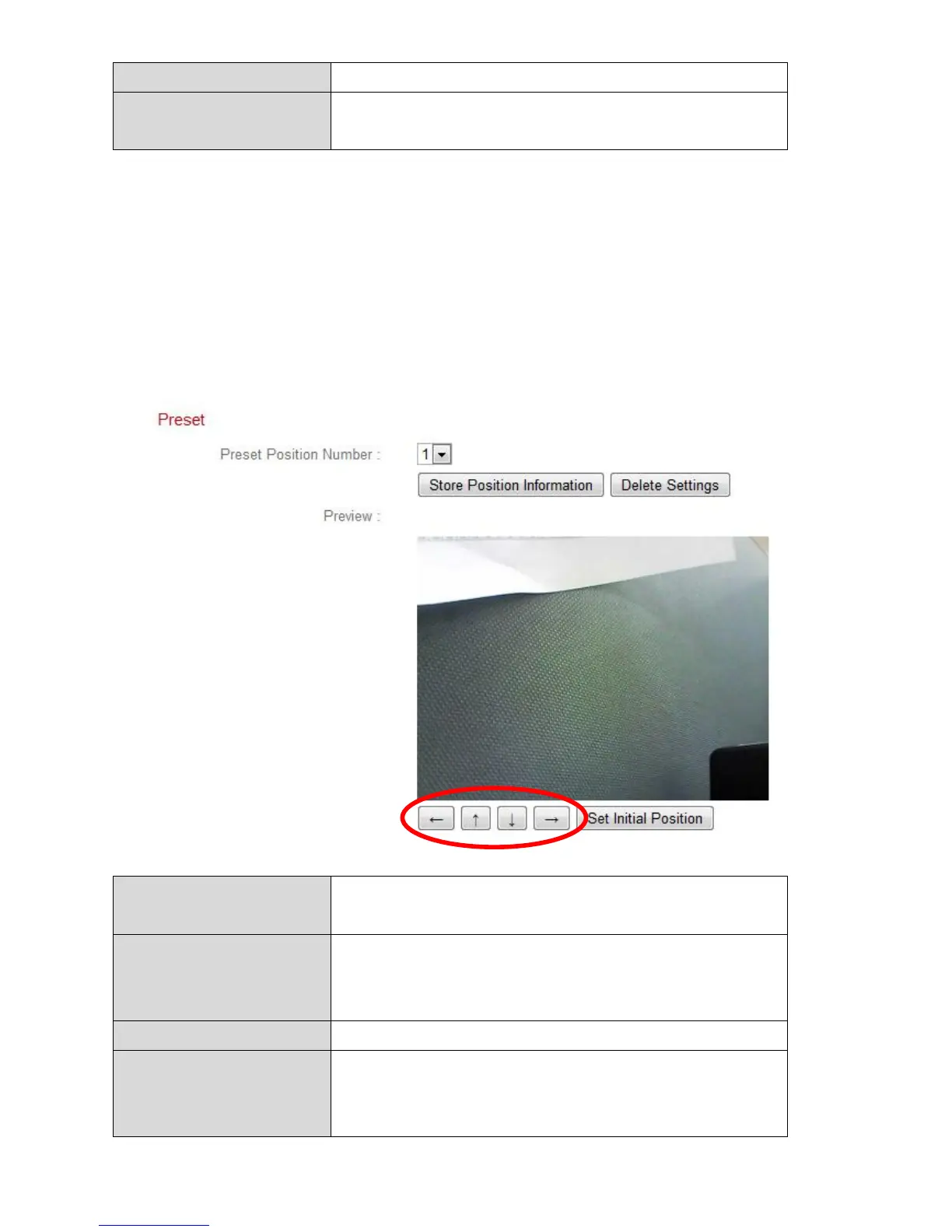
IV-6-2. Preset
The network camera can save up to four preset points within its range of
motion, which can then be viewed using the 1 – 4 shortcut icons in “Live
View”. This function allows you to avoid manually adjusting the camera’s
viewing position each time and instead provides a convenient shortcut to the
viewing positions which you use the most.
Select a preset 1 – 4 from the drop down
menu.
Store Position
Information
Click to save the current position shown in the
“Preview” window as the selected preset
point.
Delete the settings for the selected preset.
Displays a preview of the network camera’s
viewing position. Adjust the position using the
arrows below the preview window according



 To Next Page