58
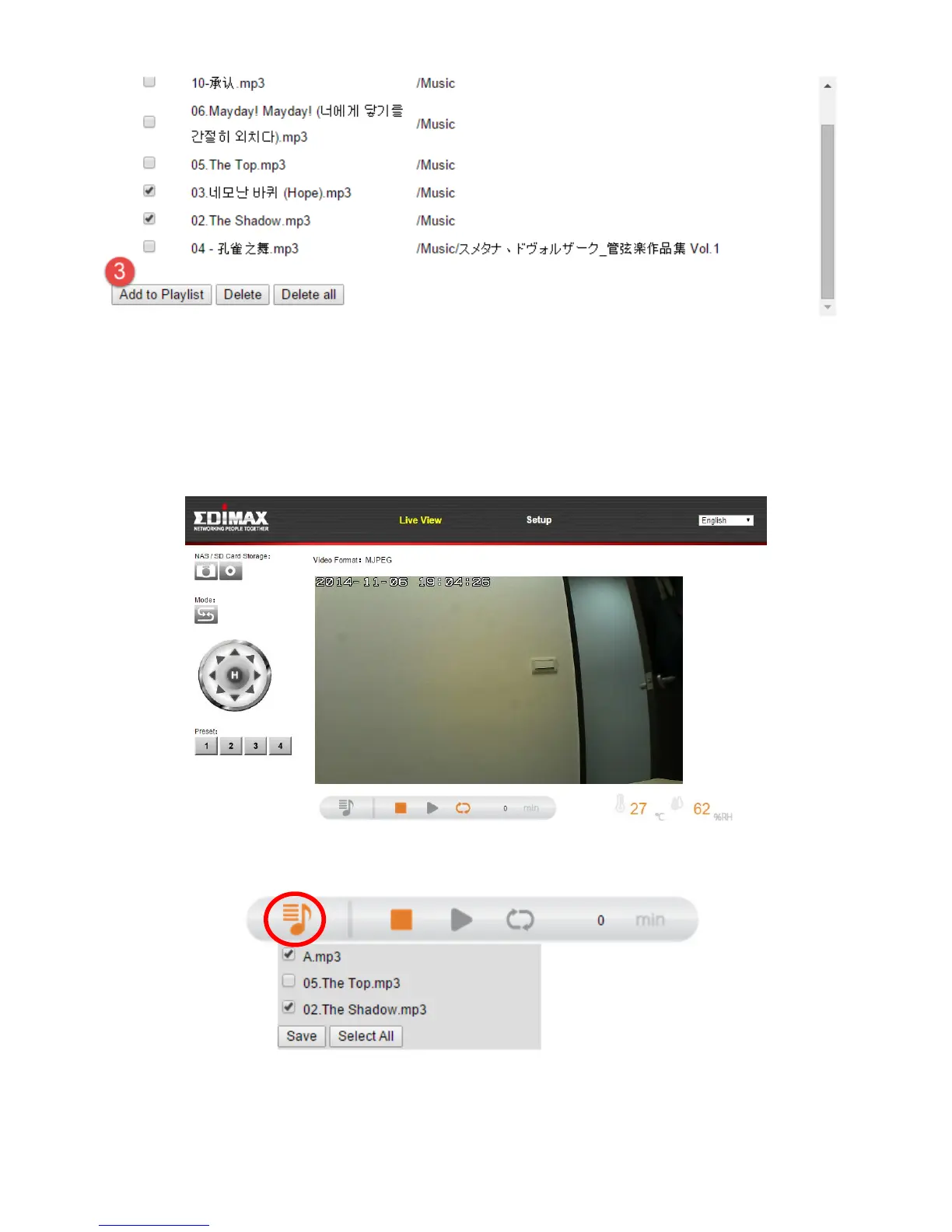
3. Use the checkboxes to select music files and click “Add to Playlist” to
add selected files to the playlist.
The music files will now be available using the music player in the “Live
View” screen:
Click the playlist icon to open the menu:
Check the boxes to include songs in the playlist and click “Save’. The playlist
can consist of a maximum six songs – including the default song stored in the
network camera.



 To Next Page