- 12 -
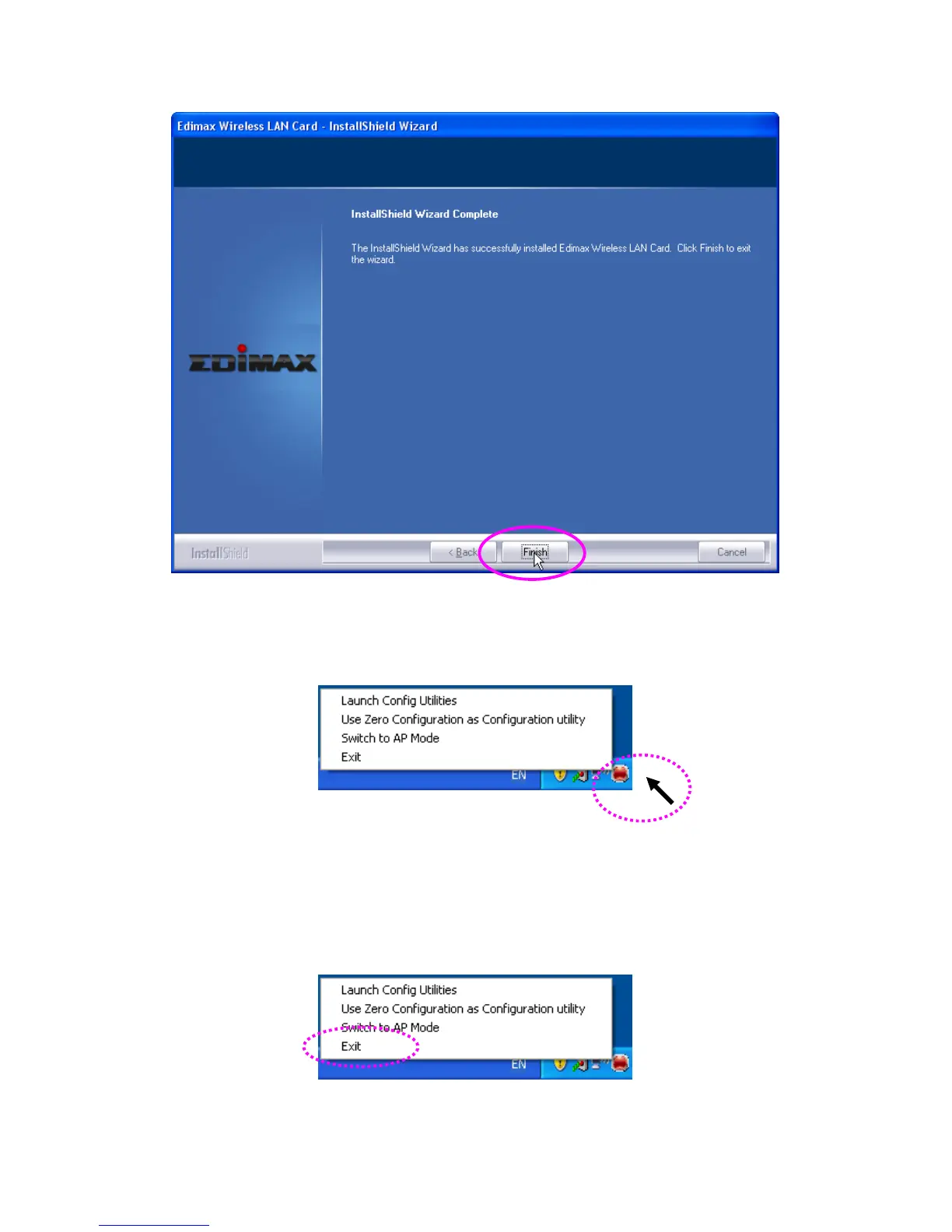
8. A new icon will appear at lower-right corner of your computer desktop, you can put the mouse cursor on
the icon, and the status of wireless card will be displayed as a popup balloon.
9. When you want to configure your wireless connection, please right click on this icon, and a popup menu
will appear. You can click ‘Launch Config Utilities’ to start configuration program.
If you want to close configuration utility, please click ‘Exit’.
HERE!



 To Next Page