- 30 -
2-3-2 Using 802.1x – Certification
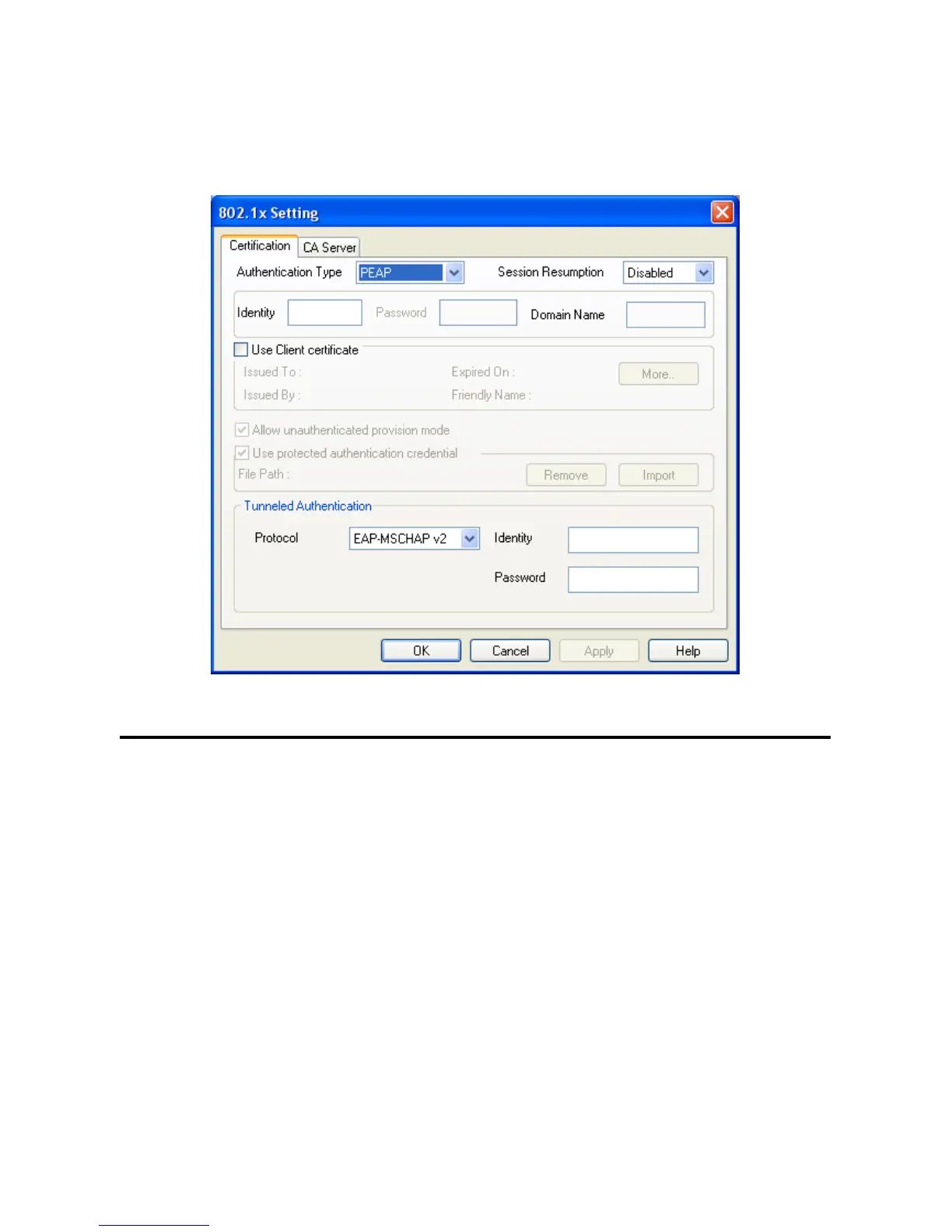
After you click ‘802.1x Setting’, a new window will appear:
Here are descriptions of every setup items:
Authentication Please select an 802.1x authentication type here.
Type The type you select here must be identical to the type of the 802.1x authentication
type you’re using.
Session You can enable or disable session resumption here.
Resumption If you don’t know if you should enable session resumption or not, please ask your
802.1x authentication administrator.
Identity Please input 802.1x identity here.
Password Please input the password of 802.1x identity here.
Domain Name Please input the domain name of 802.1x authentication here. This field will be
grayed out when authentication type is not ‘EAP-FAST’.



 To Next Page