- 46 -
2-7-2 WPS Setup - PIN
If the wireless access point you wish to connect supports PIN, please follow the following instructions to
establish connection to it:
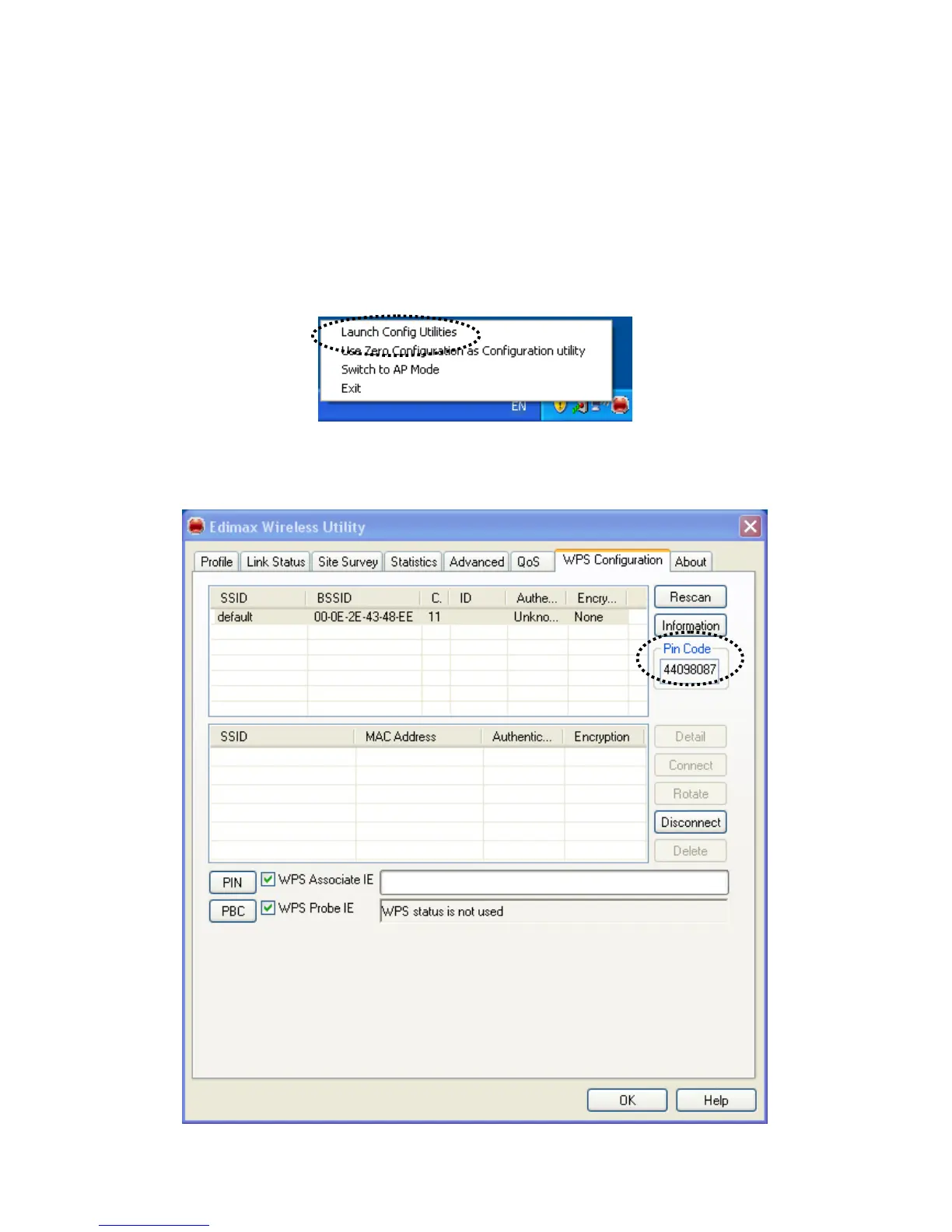
1. Right-click the Edimax configuration utility icon located at lower-right corner of computer desktop, then
click ‘Launch Config Utilities’.
2. Click ‘WPS Configuration’ tab, and the following settings will appear:



 To Next Page